GOT Blog

Z Fold 7 vs. Pixel Fold (9 Pro & 10 Pro): which book-style foldable nails it in 2025?

If you’re choosing between Samsung’s Galaxy Z Fold 7 and Google’s Pixel 9 Pro Fold—with the incoming Pixel 10 Pro Fold hovering just offstage—this breakdown is for you. The short version: Google’s 10 Pro Fold will add a newer chip (Tensor G5), a slightly larger battery, and full IP68 dust/water resistance. Otherwise it’s effectively the 9 Pro Fold you can buy today. With that cleared up, let’s go head-to-head with the device you’ll actually be cross-shopping: Z Fold 7 vs. Pixel 9 Pro Fold.


Hardware & in-hand feel

Size & shape. Z Fold 7 is a touch taller and narrower; Pixel Fold is shorter and wider. That alone drives a lot of the experience: Samsung’s cover screen feels more “phone-like” than older Folds, while Pixel’s wider cover screen is easier for typing and one-hand use.

Edges & comfort. Pixel’s sides are rounded and friendly to the palm. Z Fold 7 keeps sharper edges and corners; it looks slick, but after long sessions you may find yourself shifting your grip.

Camera bump & table wobble. Samsung’s vertical triple-camera strip rocks like a seesaw on a desk. Pixel’s square island keeps things flatter and steadier.

Hinge & bezels. Samsung trimmed the hinge noticeably; Pixel’s hinge is still more pronounced (the 10 Pro Fold will slim this a bit). Think closer to OnePlus Open for how tight a modern hinge can look.

Glare & protectors. My Pixel unit had no anti-reflective top layer, so it reflects more; the Samsung I tested wore an anti-reflective protector and stayed calmer under lights.


Cover & inner displays

Both panels are 120 Hz and smooth. Indoors they’re peers; outdoors the Samsung looked brighter in my side-by-side. With brightness maxed, Pixel’s wallpaper choice can make it seem dimmer still.

When opened, layouts are flexible on both, but what you’re allowed to do with those big canvases differs a lot (next section).


Software & customization: tight vs. tuned

Home screen freedom. Google keeps things opinionated:

  • The At-a-Glance widget and Google search bar are stuck in place.
  • Folders have one layout size.
  • No stacked widgets on the main page.

Samsung lets you hide the search bar, resize folders, and stack widgets. It’s simply more customizable.

Side panel & multitasking. This is the biggest split.

  • Z Fold 7: Swipe in from the edge for the taskbar/panel, drag apps to split, save app pairs, and even float multiple windows that you can place and resize anywhere. It’s laptop-like.
  • Pixel Fold: No native side panel. To split, open one app, then drag a second from the dock or app drawer. You can save pairs, but there’s no floating window option and fewer drag-drop gestures. Third-party edge panels help, but they can’t replace Samsung’s deep integration.

If you bought a foldable for multitasking, Samsung’s ahead by a mile.


AI & keyboards

Both lean on Google’s Gemini for text help (rewrite, summarize, tone changes, proofreading). On Samsung you’ll find extra Galaxy AI niceties sprinkled around, but the core “write better, faster” tools are similar.

Dictation has improved on Samsung’s own keyboard, but I still like Gboard for accuracy. If you do stick with Samsung Keyboard, its AI buttons are right where you want them—one tap away.


Photo apps & editing tricks

  • Samsung: Long-press a subject in the Gallery to create an instant cutout, move it, drop it onto another photo, or save it as a transparent PNG. Generative fills are quick; Samsung watermarks AI-generated edits.
  • Pixel: You’ll dive into Edit → Actions for tools like Move and Magic Editor–style generative fills. Different path, similar result; Pixel did a nice job of shifting and filling background when I re-centered a portrait.

Verdict: both are capable; Samsung’s “long-press to cut out” is delightfully fast, Pixel’s “Move” feels precise.


Cameras: night wins, day detail, and zoom reality

Night video (selfie & rear). Both were usable, but Samsung looked cleaner and brighter, with more detail; Pixel’s audio emphasized my voice and downplayed ambient noise, which is great if you just want to shoot-and-share.

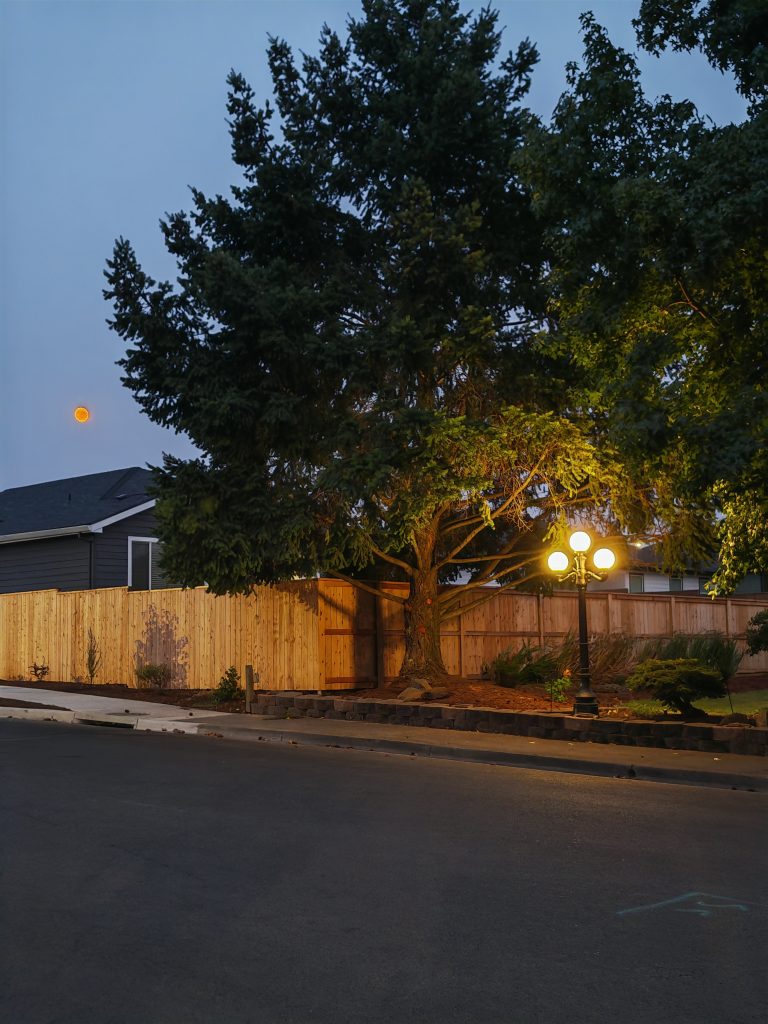
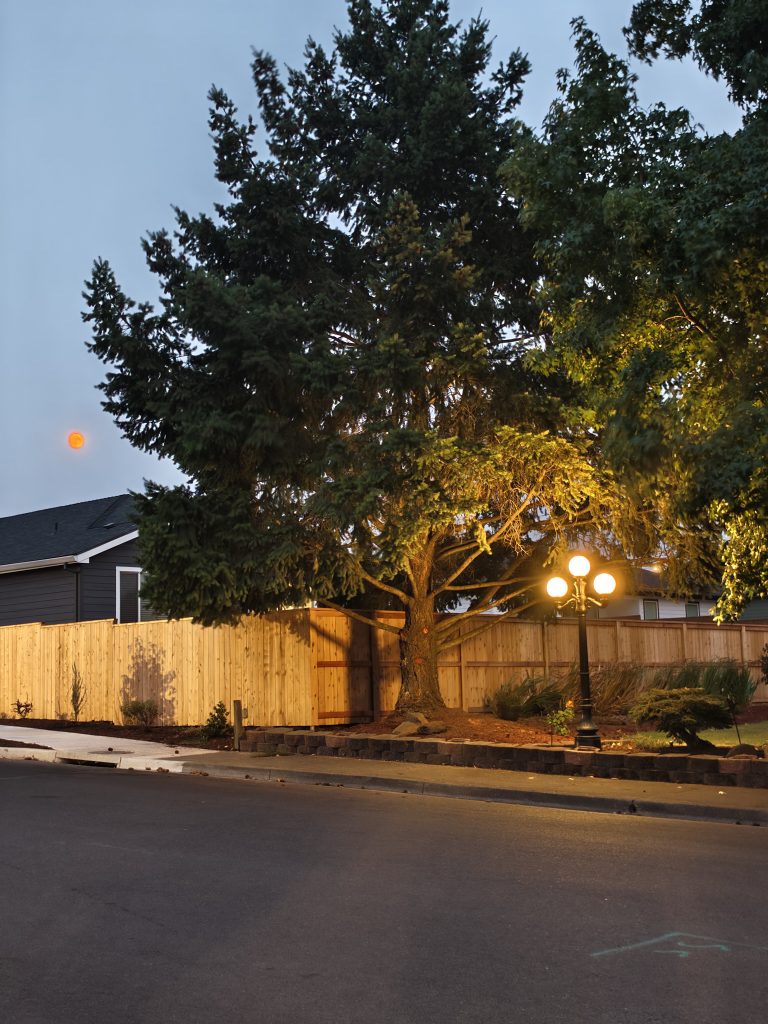
Night stills. Repeatedly, the 200 MP main on Samsung held highlight signs better and kept more texture in trees and brickwork. Pixel sometimes blew bright signage and leaned warmer/saturated.

2×–5× zoom. At 5×, both switch to their 10 MP telephotos. Pixel’s dedicated optic can look a touch crisper at that mark; Samsung’s overall processing is more natural.

10× and beyond. With both leaning on crop + processing from lower-res telephotos, don’t expect “flagship periscope” quality. Still, Samsung kept edges straighter and text cleaner in my street sign tests; Pixel occasionally looked punchier but less true.

Day portrait. Samsung pulled slightly ahead on micro-detail (hair, fabric). Pixel nailed color on my brown shirt better than Samsung’s near-black interpretation.

Macro & close-ups. A split decision: Pixel sometimes looked brighter and tack-sharp on tiny subjects; Samsung’s bokeh separation felt more natural.

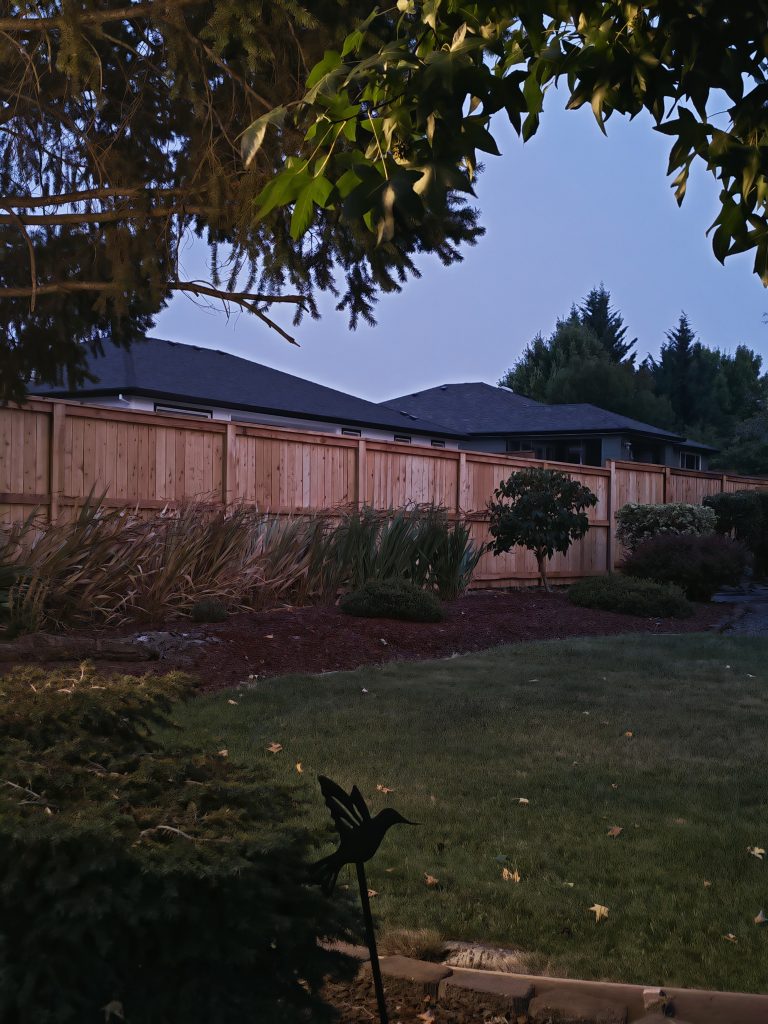
Check out the Photos Here:


Speakers & audio placement

The Z Fold 7 is louder with more low-end. However, Samsung puts both drivers on the same side when opened. Pixel cleverly flips speakers with orientation, so you always get true left/right stereo no matter how you’re holding it. Design win to Pixel; loudness win to Samsung.


What about Pixel 10 Pro Fold?

Expect the same body and cameras as 9 Pro Fold, plus:

  • Tensor G5 (snappier and more efficient)
  • Slightly larger battery
  • IP68 dust/water resistance (first for a major foldable)

Those are welcome—but they won’t change the multitasking gap or the camera behavior you saw above in a dramatic way unless Google ships major image-processing updates (which they could also backport).


Final take

If your foldable is mostly a phone that sometimes opens, the Pixel’s wider cover screen, softer edges, and smart stereo layout make it a pleasure to hold and use. If your foldable is a tablet you work on, the Z Fold 7 simply does more: brighter inner screen outdoors, best-in-class multitasking with floating windows, deeper home-screen control, louder speakers, and a night-and-detail camera edge thanks to that 200 MP sensor.

Price matters, and Samsung usually runs about $200 more. For me, the productivity and camera gains are worth it. If you prize comfort, wide cover typing, and Google’s cleaner vibe, the Pixel Fold is still a lovely choice—made even better if you wait for the 10 Pro Fold’s IP68 and newer silicon.

Which way are you leaning—wide and comfy, or bright and beastly? Drop your must-have features below, and tell me what matchup you want next.
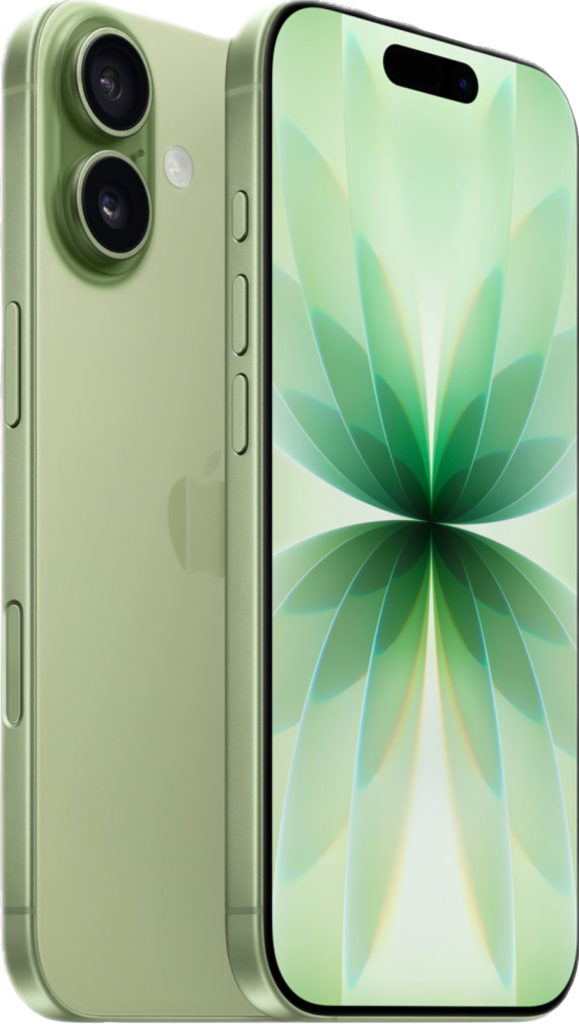
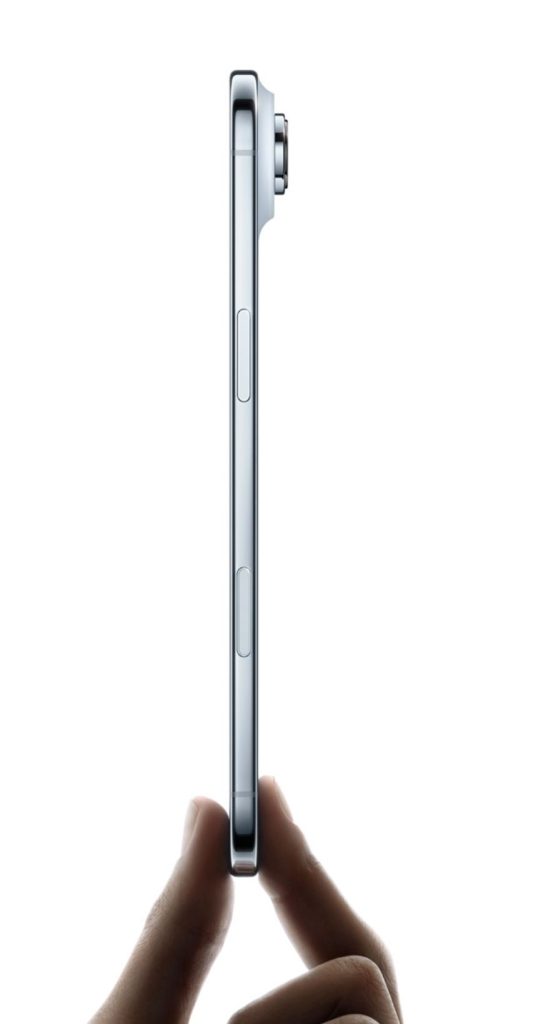
iPhone 17 First Impressions: Apple Finally Levels Up

Apple just wrapped its latest event, and the iPhone 17 lineup is here. After months of rumors and leaks, we now have the standard iPhone 17, the sleek but controversial iPhone 17 Air, and the powerhouse iPhone 17 Pro. Instead of making AI the star, Apple doubled down on hardware this year—and the result is a set of phones that feel like a big leap forward for everyday users.

The Standard iPhone 17 Gets Serious      

Apple often saves its biggest tricks for the Pro models, but this year the base iPhone 17 got the glow-up. Cameras first: last year’s 48 MP main + 12 MP ultrawide combo has been replaced with dual 48 MP shooters, including an ultrawide that uses a clever 12 MP crop for true optical-quality zoom. Combined with Apple’s 24 MP pixel-binning, images look brighter, sharper, and more natural—especially in low light.

The selfie camera also got smarter with Apple’s new “Center Stage” mode. It automatically widens the frame and tracks subjects, which is perfect for group selfies or FaceTime. I only wish Apple had extended that feature to the rear cameras for more flexible video shooting.

On the display side, Apple finally ditched 60 Hz for 120 Hz ProMotion on the standard iPhone. Scrolling feels buttery smooth, animations are cleaner, and the adaptive refresh rate should help save battery. Speaking of battery: the standard iPhone 17 packs a larger cell thanks to a bigger 6.3-inch screen (up from 6.1″ last year). Pair that with the new A19 chip, which Apple claims is 20% faster and more efficient, and this might be the best battery life ever in a non-Pro iPhone.

The Thinner, Riskier iPhone 17 Air  

Apple’s boldest new product is the iPhone 17 Air—a super-slim phone that feels more like a design experiment than a must-have. Its single “Dual Fusion” camera pulls double duty as both wide and ultrawide, and it runs the same A19 Pro chip found in higher models. But with its thin frame, the Air is heavily throttled to manage heat, just like Samsung’s S25 Edge.

In short, it looks slick and feels futuristic, but the compromises are real: fewer cameras, less power under heavy load, and questionable battery life. I suspect the Air will end up being a niche model—eye candy for the shelf, but not the workhorse most users need.

The iPhone 17 Pro: Apple’s True Flagship  

The Pro is where Apple flexed its engineering. The back panel now extends across the entire camera array in a two-tone design that recalls old-school Pixels, but with a purpose: more room for battery, cooling, and bigger camera hardware. The periscope zoom is gone, replaced with a 48 MP 4x telephoto that delivers higher-quality zoom shots thanks to the extra resolution.

Inside, the A19 Pro chip promises to run cooler and throttle less, thanks to that new thermal design. Apple even tucked the chip partially into the camera module space to maximize efficiency. Add in Ceramic Shield 2 (front and back), 3000-nit anti-reflective displays, and you’ve got a phone built for durability as much as performance.

My First Impressions

So where do I land after Apple’s big event?

The standard iPhone 17 is the sleeper hit: bigger screen, better cameras, ProMotion, and stronger battery life. It’s the first time in years I’d recommend the base model without hesitation.

The iPhone 17 Air is interesting but feels like a gimmick—beautifully thin, but too compromised for real users.

The iPhone 17 Pro is the enthusiast’s choice, with smarter design, better cooling, and pro-level cameras.

I’ll reserve final judgment until I get them in hand and compare them against rivals like the Pixel 10 Pro and Samsung S25 Ultra, but one thing is clear: Apple’s focus on hardware this year has made the iPhone 17 lineup the strongest upgrade path in years.

 Which model are you most excited about—the standard, the Air, or the Pro?

Honor Magic V5 vs. V3: Is the Upgrade Worth It?

If you’ve been eyeing Honor’s latest foldable and asking “should I jump from the V3 to the V5?”, you’re not alone. I’ve lived with both, ran them through my everyday routines, poked at the software, and snapped more photos than my camera roll cares to admit. Here’s the good, the bad, and the “maybe wait” — in plain English.

Design & In-Hand Feel

Side by side, V5 and V3 are near twins. The V5 adds a snazzier hinge pattern and feels a touch more squared on the rails, but both keep those comfy rounded edges that spare your palms (unlike some sharper competitors). Specs say the V5 (gold model) is 9.2 mm closed and the V3 is 9.0 mm; the white V5 slims to 8.8 mm. In practice? You’d be hard-pressed to tell without calipers.

Where you will notice a change is the camera island: the V5’s bump is a bit chunkier — on purpose. We’ll talk cameras in a minute.

A small but smart speaker change

Honor moved the V5’s speakers to opposite ends. On the V3, they’re on the same side, so it’s easy to muffle both when gaming. The V5’s split layout means even if one is covered, the other stays loud and clear. Tiny tweak, real-world win.

Screens & Outdoor Visibility

Both claim 5,000-nit peak brightness outdoors, and both ship with anti-reflective front protectors. In direct sun, they’re surprisingly readable and, to my eyes, basically a draw. If anything, the V5 may look a hair brighter at peak — but again, it’s subtle. Crease visibility is low on both.

Open them up and the diagonals are nearly identical (7.95″ on V5 vs 7.92″ on V3). The cover screens are rated the same, too (6.43″). Translation: no practical size advantage either way.

Specs at a glance (V3 vs V5)

CategoryMagic V3Magic V5
Launch (global)Shown at IFA 2024; global units followedGlobal launch Aug 28, 2025
Dimensions (folded)156.6 × 74.0 × 9.2 mm156.8 × 74.3 × 8.8 mm
Thickness (unfolded)4.35 mm4.1 mm
Weight226 g217 g
IP ratingIPX8 (water)IP58 (dust) + IP59 (high-pressure water)
Chipset / GPUSnapdragon 8 Gen 3 / Adreno 750Snapdragon 8 Elite / Adreno 830
Software at launchAndroid 14, MagicOS 8.0Android 15, MagicOS 9.0/9.0.1
Update policy4 OS upgrades + 5 yrs security (reported)7 yrs OS & security (EU/UK; may vary)
RAM / Storage (global)Typically 12 GB / 512 GBTypically 16 GB / 512 GB
RAM / Storage (China)Up to 16 GB / 1 TB12/256, 16/512, 16/1 TB (1 TB gets larger battery)
Inner display7.92″ LTPO OLED, 2344×2156, 1–120 Hz, stylus support7.95″ LTPO OLED, 2352×2172, 1–120 Hz, stylus support
Outer display6.43″ LTPO OLED, 2376×1060, 1–120 Hz6.43″ LTPO OLED, 2346×1060, 1–120 Hz
Peak brightnessCover up to 5000 nitsDual 5000 nits (inner & outer)
PWM dimmingInner up to 3840 Hz, outer 4320 HzHigh-freq PWM on both (up to 4320 Hz)
StylusMagic Pen on both screensMagic Pen on both screens
Rear cameras50 MP main (IMX906, f/1.6, OIS) + 50 MP periscope 3.5× (OIS) + 40 MP ultrawide50 MP main (f/1.6, OIS) + 64 MP periscope 3× (OIS) + 50 MP ultrawide
Front cameras20 MP (inner) + 20 MP (cover)20 MP (inner) + 20 MP (cover)
VideoUp to 4K/60 (rear; region/updates may affect modes)Up to 4K/60
Battery (global)5150 mAh (Si-carbon)5820 mAh (Si-carbon)
Battery (China, 1 TB)6100 mAh (typ., rated 5950)
Wired / wireless charging66 W / 50 W66 W / 50 W
Connectivity5G Sub-6, Wi-Fi 7, Bluetooth 5.3, NFC, IR5G Sub-6 (wider bands), Wi-Fi 7 with 6 GHz, Bluetooth 6.0, NFC, IR
BiometricsSide fingerprint + face unlockSide fingerprint + face unlock

Under the Hood

In swiping, launching, and day-to-day stuff, both feel equally fluid. The V5’s Elite chip does pull ahead in heavier workloads and longer exports (think 4K video rendering), and the bigger battery helps. But the V3’s no slouch — it’s already outpaced several “newer” rivals and doesn’t throttle like some flagships.

Stylus Support (Yes, on Both)

The Honor stylus works on the outer and inner screens of both V5 and V3. Writing feels quick and responsive, the eraser button is handy, and the tip glides without chewing up the protector. If you sketch thumbnails, markup PDFs, or annotate screenshots, this is a big quality-of-life feature — and crucially, it’s not a V5 exclusive.

Software & AI: Same Brain, New Tricks (Mostly)

MagicOS on the V5 and V3 feels virtually identical: same layouts, same stacked widgets, same gestures. Even the camera app UI mirrors across devices. The V3 has gained many of the AI edits the V5 touts:

  • Cutout: Long-press to auto-select a subject and save it as a sticker/cutout on both phones.
  • Outpainting: Extend canvas to “recenter” yourself — neat for portraits. The V5 goes a step further by letting you move your cutout across a newly extended background inside the editor. It’s convenient, not essential.
  • AI Eraser: Removing logos/plates/stray objects works on both and looks clean.
  • AI writing/grammar assist: Functional but slow. It fetches from the web, and even on the V5 it isn’t instant. Nice to have, not a reason to upgrade.

Cameras: Numbers vs. Results

On paper, the V5’s telephoto is 64 MP vs. 50 MP on the V3. In practice, image quality is more “family resemblance” than “generation leap.”

  • Portraits: Both can deliver pleasing bokeh if you set them up right. Sometimes the V3 traces fine edges (like hair and ears) a tad more naturally; the V5 can “beautify” a touch by default.
  • Standard & mid-zoom (3–10×): Nearly a wash. Exposure and white balance differ slightly scene-to-scene, but neither runs away with it.
  • Long zoom (50–100×): Not much in it. Some sets even favored the V3 for retained detail.
  • Night video: In mixed testing the V3 often held its own and, in some clips, edged the V5 on clarity. Lens-flare control varies by scene.

Bottom line: the V5 isn’t a dramatic camera upgrade over the V3. It’s a nudge, not a leap. Check out the Photo Gallery for Images.

Multitasking: One Meaningful Difference

Both do split screen beautifully. The big distinction:

  • V5 can run three side-by-side apps at once, each resizable (including those slick 90/10 focus swaps).
  • V3 tops out at two apps + a floating window. You still multitask fine, but the V5’s true triple split is objectively more powerful if you live in spreadsheets, docs, and chat at the same time.

Connectivity & Speeds

On my Wi-Fi, speeds varied with network mood (and will for you too), but both kept up within shouting distance. Radio band support is comparable; in real use, coverage felt the same. I wouldn’t pick either based on bars.

So… Should You Upgrade?

If you already own the V3 and you love it, here’s the honest read:

Reasons to stay put

  • Everyday speed and smoothness feel the same.
  • Cameras are very close in most scenarios.
  • Stylus works on both inner and outer screens either way.
  • The V3 still competes toe-to-toe with 2024/25 foldables.

Reasons to consider the V5

  • You want triple-app split multitasking regularly.
  • You do heavy video exports or long processing tasks and want the Elite chip’s headroom.
  • The bigger battery matters to you.
  • You prefer the new hinge design and split speakers (gamers, hi).

Value check: if you can snag a V3 near ~$1,000 and the V5 sits closer to ~$2,000, the math is brutal. The V3 remains a phenomenal buy and, for many people, the smarter one. If you’re new to foldables, the V3 is a fantastic entry that doesn’t feel “last-gen.”

Final Word

The V5 is the sleeker, slightly faster refinement; the V3 is the value wrecking ball that still punches above its weight. For most users, the upgrade isn’t necessary. For power multitaskers, creators exporting 4K often, or anyone craving maximum battery and that speaker layout, the V5 earns its keep.

Now I want to hear from you: did you jump from V3 to V5? Seeing real-world differences? Anything I missed that changed your mind either way? Drop your experiences in the comments — and if you’re cross-shopping other foldables, I’ve got battles you’ll want to see next.

Honor Magic V5 vs Vivo X Fold 5

Update & Corrections:
In this video I missed a couple things about the Vivo X Fold 5 and Honor Magic V5.

  • For night shots, the Vivo does have a Landscape & Night mode that I overlooked. I’ve retaken comparison photos and posted them below.
  • For portraits, I said the Honor Magic V5 didn’t handle bokeh well—but I’ve been respectfully informed that I can adjust the bokeh to my liking before shooting. I used the default setting in the video which is set with no bokeh. I found that adjusting the f-stop setting at f/2.8, it actually matches the Vivo beautifully.

Thanks to the viewers who pointed this out—your feedback makes these reviews better and helps me to learn with you!

Honor Magic V5 vs. Vivo X Fold 5: The Daily-Driver Showdown

Two ultra-thin, book-style foldables. Two very different personalities. I’ve been living with the Honor Magic V5 and the Vivo X Fold 5 long enough to run them through my everyday routines—emails, editing, photos, maps, church notes, and a few too many speed tests. Here’s the head-to-head you’ve been asking for.

Design & in-hand feel

At a glance, the Vivo is taller and narrower; the Honor is shorter and wider. Spec sheets say 6.5″ vs 6.4″ outer screens, but the Honor’s extra width makes typing easier and icons larger—great for not-so-dainty thumbs. Both chassis are razor thin (Honor listed at 9.0 mm, Vivo 9.2 mm folded). A quick “bubble level” test on a flat desk put their bodies essentially even; the difference shows up at the camera bump, where the Honor’s module is noticeably taller.

Button placement is similar (volume + side fingerprint), but Vivo adds a programmable extra key. I set it to mute, though you can map it to other shortcuts. Unlocking feels instant on both.

One preference note: the Honor lets you separate your lock-screen wallpaper from your home screen. On my China ROM Vivo, the lock screen mirrors the home screen and I couldn’t change that. (If you’ve got a trick on the global ROM, drop it in the comments.)

Specs snapshot

  • Honor Magic V5: Snapdragon Elite chip, 16GB RAM, up to 5820 mAh battery, MagicOS on Android 15, stylus support on outer and inner displays.
  • Vivo X Fold 5: Snapdragon 8 Gen 3, 16GB RAM, 6000 mAh battery, OriginOS on Android 15.

Yes, the Vivo battery is larger on paper; more on real-world behavior below.

Displays, brightness & reflections

Outdoors, both panels get very bright and remain readable. The Honor’s anti-reflective inner screen helps a lot under harsh light; the Vivo fights reflections more but counters with luminance. Either way, you can use both outside without squinting yourself into a headache.

Stylus: one clear winner

Only the Honor supports a pen—and it works on both screens. I’ve been sketching thumbnails, annotating screenshots, and tapping tiny UI elements without mis-presses. If you need a pen on a book-style foldable, this is the one.

Connectivity: Wi-Fi vs. Cellular

On my home Wi-Fi (rated ~400 Mbps down / 10 Mbps up), the Honor consistently hit ~440 Mbps down, while the Vivo trailed in the ~340 Mbps range. Upload was a wash (Honor ~8–9 Mbps; Vivo slightly higher). On cellular, the Vivo routinely delivered much faster download and upload speeds than the Honor in the same spot. Antenna tuning clearly differs.

Carrier note for U.S. readers: Verizon/AT&T IMEI checks said “not compatible,” yet many of you report daily use on those networks. Your mileage may vary; when in doubt, test with a spare SIM or an eSIM trial.

Software & widgets

Both ship with modern Android and their skins, and both feel smooth. Two behavioral differences stood out:

  • Multitasking, Honor style: drag from the edge to split screen, stack up to three apps side-by-side, and flip any pane to 90/10 focus with a tap. You can also do top/bottom splits and make all three panes full with quick toggles. It’s powerful and predictable.
  • Multitasking, Vivo style: traditional dual-pane split plus floating windows, and a very cool Workbench that lays out four apps at once for rapid switching. It’s excellent for study or research (I used it during sermon prep to bounce between two Bibles, a notes app, and a browser).

Widgets are better on Samsung than either of these, but Vivo’s stackable native widgets (battery, recorder, device controls) are fun—just note you’re limited mostly to Vivo’s own cards on the China ROM. Honor has “cards” too, but options are thinner than I’d like.

Performance & heat

Synthetic tests were neck-and-neck overall, with the Honor often a hair ahead. The real test is video work:

  • Import/conform for editing in PowerDirector: Honor finished roughly twice as fast prepping files for the timeline.
  • 4K export of a ~2.5-minute project: it was a race. The Vivo actually led early, then throttled, and the Honor pulled ahead to finish first by a modest margin.

In daily use, both feel flagship-snappy. Under sustained load, Honor tends to keep its foot down longer; Vivo stays a bit cooler at the touch.

Cameras: day, night, zoom & portraits

I shot everything point-and-shoot, default settings unless noted.

  • Selfie video: close call. Honor renders brighter and crisper; Vivo looks a touch softer and arguably more flattering.
  • Daylight wide/standard: Honor leans brighter, punchier, and often more “true blue” skies. Vivo is slightly more restrained and sometimes shows a faint purple cast in sky gradients.
  • 10x–20x zoom: both are good at 10x. At 20x and beyond, Vivo often edges ahead in fine texture (tree needles, brick lines), while Honor sometimes uses AI correction to keep roof lines and edges straighter.
  • 50x zoom: Vivo usually looks cleaner on micro-detail; Honor can show a bit more processing.
  • Night shots: Here the tables turn. Honor’s dedicated night mode brings brighter, cleaner results and handles backlit signs and high-contrast scenes better. Vivo’s Zeiss tuning is natural and bright, but strong light sources can starburst and clip. * Update, Vivo has a Landscape & Night setting that I didn’t notice until after shooting. Updated photos will be placed on the Photo Gallery for your viewing comparison.
  • Portraits: Vivo wins. The Honor frequently forgets the bokeh (or applies too little), while Vivo separates subject/background more convincingly—even if it sometimes nibbles ears on tricky edges. *Update, Honor has a bokeh adjustment I missed during testing. You can adjust the depth of field, and it works perfectly. Again, look for updated photos in the Photo Gallery.
  • Macro: both impress; Vivo takes a slight clarity lead on tiny textures and dewdrops, while Honor’s background blur looks lovely.

Net: If your life is night scenes and mixed lighting, Honor is more consistent; if you’re a daylight long-zoom chaser, Vivo has the edge. For portraits, Vivo again.

Battery life

Paper says 6000 mAh (Vivo) vs 5820 mAh (Honor). In practice, both comfortably last a full day of mixed use. The Honor’s combo of battery, chip, and tuning gave me the more predictable, “don’t-think-about-it” endurance; the Vivo’s larger pack helps, and it tends to run cooler in sustained tasks.

The verdict: which folds into your life?

Both are excellent, but they aim at slightly different users:

Choose the Honor Magic V5 if you:

  • Want a wider outer screen for easier typing and bigger UI.
  • Care about stylus input on both displays.
  • Shoot lots of night photos and backlit scenes.
  • Prefer robust, simple three-pane multitasking.

Choose the Vivo X Fold 5 if you:

  • Like a taller device that feels extra sleek in the hand.
  • Live in apps where long-zoom detail matters.
  • Want vivo’s Workbench for multi-app study/research flows.
  • Prioritize cooler touch temps and snappy cellular speeds.

My daily pick

I do find myself reaching for one of these more often—mostly because its wider outer screen, bigger touch targets, pen-on-both-screens support, and reliable night camera make everyday stuff feel easier. But the other brings killer long-zoom detail, a slick Workbench, and cooler temps that are hard to ignore. Which one actually wins my pocket? Watch the full video to see.

Pixel 10 Pro vs iPhone 16 Pro: The Camera Battle We’ve All Been Waiting For

The Apple vs. Google rivalry is nothing new. From Macs vs. PCs, to Samsung mocking Apple’s notches, to Google’s cheeky Pixel ads in movie theaters—it’s been decades of playful jabs. But now, with the Pixel 10 Pro stepping up its AI photography game, the question is obvious: can Google finally take the crown from Apple in one of the iPhone’s strongest categories—cameras?

I hit the disc golf course (one of my favorite testing grounds) with the Pixel 10 Pro in one pocket and the iPhone 16 Pro in the other. Same lighting, same subjects, same “point-and-shoot” approach. Here’s what I found.


Video: Smooth Operators

Both phones handled video surprisingly well. Transitioning from shade into bright sunlight? Smooth. Jogging along a fairway (yes, as much as I can jog)? Rock steady. The wobble we used to see in older Pixel models is gone, and while the iPhone occasionally showed more lens flare, the Pixel sometimes caught it too. In short: both delivered pro-level video stabilization, with the Pixel closing the gap more than ever.


Photos: Where the Pixel Shows Its Teeth

Here’s where things got interesting.

  • 5x Zoom Test – Both phones have dedicated 5x lenses, but the Pixel 10 Pro pulled ahead with AI enhancement. The bark on trees, pine needles, even the disc golfer’s frisbee mid-flight were crisper and more detailed on Pixel.
  • 10x Zoom Test – Once again, Pixel’s AI sharpening kept details alive in the shadows and in graffiti textures, while the iPhone softened edges more quickly.
  • 30x vs 100x Zoom – Apple caps at 30x, while Google’s AI-assisted 100x zoom is, well… a mixed bag. It’s fun, and sometimes impressive, but not always “usable.” Still, side-by-side at 30x, Pixel looked just a touch sharper.
  • Standard Shots – This is where personal preference comes in. The iPhone produced warmer, slightly yellow-leaning tones, while the Pixel leaned toward natural blues and greens. On grass, skies, and shaded areas, I preferred the Pixel’s more neutral balance.

Low Light & Motion

Dynamic range was once Apple’s Achilles heel—think blown-out windows in indoor shots. Not anymore. The iPhone 16 handled challenging light shifts well. But again, the Pixel squeezed out more detail in shadows and maintained better balance in high-contrast areas.

As for motion? I captured a disc golfer mid-throw. Both phones froze the moment beautifully, but the Pixel showed a touch more natural blur, which oddly felt more lifelike. The iPhone’s version looked sharper but slightly artificial.


Selfies & Front Cameras

Not my favorite test (I don’t love seeing myself in selfie mode), but both phones did well. The Pixel gave me flexibility to adjust between wider and closer framing, while the iPhone was locked in. Color balance looked nearly identical.


Final Thoughts

Apple still brings its trademark consistency—photos that are reliable, warm, and “ready to share.” But the Pixel 10 Pro’s AI enhancements are no gimmick. From crisper zoom to richer detail in shadows, it’s closing in hard on Apple’s long-standing lead.

So, is the Pixel finally king of smartphone cameras? I’d say the gap has never been closer. For me, the Pixel 10 Pro edges out the iPhone 16 Pro in photography this year—though Apple’s video and color accuracy still hold their ground. The real showdown will come when the iPhone 17 drops. Will Apple add AI smarts to their photography pipeline, or will Google hold the advantage? Stay tuned—I’ll be back with that battle soon.

Pixel 10 Pro vs Pixel 9 Pro: Déjà Vu or Real Upgrade?

Unboxing the Pixel 10 Pro felt a little like déjà vu. Peel back the wrapping and—yep—it’s basically staring at a Pixel 9 Pro in a different outfit. The design? Nearly identical. Buttons, antenna bands, camera bar… all in the same spots. Even the weight difference is barely noticeable: 202g for the Pixel 9 Pro and 207g for the Pixel 10 Pro. That extra 5g? Likely the slightly larger battery tucked inside. Not exactly the “wow” moment you’d expect for a 10th-generation flagship.

The real kicker here is the trade-in math. Google offered me $550 for my Pixel 9 Pro, leaving me another $550 out of pocket for a phone that looks—and feels—almost the same. It begs the question: do you really want to spend over five hundred bucks just to keep pace with Google’s naming convention? Especially when Samsung is still tossing around $900–$1000 trade-ins for older Fold models?

Now, don’t get me wrong. There are some differences. The Pixel 10 Pro runs on the new Tensor G5 chip, and early benchmarks show it outpacing the Tensor G4 in both single-core and multi-core scores. Is it blazing fast compared to Snapdragon 8 Gen 3 or Apple’s A17 Pro? Not really. But it’s a respectable bump for Pixel owners who push their phones hard. The brighter screen is another subtle win—you’ll notice it outdoors, even though reflections are still an issue on both models. You’ll want an anti-reflective screen protector if you’re outside often.

Where things actually get exciting is with Google’s new ProRes Zoom. This software trick lets the Pixel 10 Pro use AI to clean up high-zoom photos, and it works surprisingly well. I tried it on a backyard turtle (yes, my test subject was a turtle), snapping shots at 50x zoom. The before-and-after was impressive—the AI polished edges, boosted colors, and delivered results you’d never expect from such a crazy crop. For casual shooters, it’s like having a pocket telescope that doesn’t completely butcher your photos. Checkout the Photo Gallery to see all the images.

But here’s the frustration: this feels like a software feature Google could have brought to the Pixel 9 Pro. They promised “enhanced zoom” last year and never delivered. Now they’re dangling it behind the Pixel 10 Pro’s paywall. If the hardware’s basically the same, why lock features away? That stings for anyone who dropped top dollar on a Pixel 9 Pro just twelve months ago.

So where do I land? Honestly, I’m torn. The Pixel 10 Pro is a good phone—it’s just not the milestone device the “10th anniversary” Pixel should have been. If you own a Pixel 9 Pro, the upgrade barely makes sense unless you’re desperate for the new zoom tricks or need to compare it head-to-head with Apple’s latest iPhones. If you’re on an older Pixel or want Google’s clean Android experience with some genuinely useful AI perks, the 10 Pro is the better buy.

But if you’re like me—watching Google charge $550 just to repackage last year’s design while other brands push hardware leaps—it might feel more like a hold-off year than a “must-upgrade.”

Honor Magic V5 vs. Galaxy Z Fold 7: The Foldable Face-Off You’ve Been Waiting For

Short version: both are premium, both are fast, but they don’t win in the same ways. After a deeper dive into design, software, multitasking, performance, cameras, and battery, I’ve got a clear favorite—and a few surprises along the way.

Design, Feel, and Everyday Ergonomics

On the desk, both look flagship. In the hand, the differences show up fast:

  • Edges & comfort: Magic V5’s softly chamfered sides feel gentler than the Fold 7’s sharper, boxier rails. If you text or note for hours, you’ll notice.
  • Speakers: Samsung places both speakers on the same long edge; it’s easy to block them in landscape gaming. Honor splits speakers on opposite sides, so you’re less likely to muffle both at once.
  • Hinge: Samsung’s hinge is sturdier in “hover” positions; it’ll hold angles the Honor sometimes won’t.
  • Thickness: Folded, the gap is tiny (Fold 7 ~8.9 mm; V5 ~9.0 mm), but the V5’s camera bump is noticeably thicker.
  • Fingerprint reader: Honor’s slightly raised side button unlocks on touch; Samsung’s needs a firm press. Small thing, big quality-of-life gain.

Software & Customization (Out of the Box)

  • Builds: Fold 7 ships with One UI 8 on Android 16. Magic V5 runs MagicOS 9 on Android 15 (update expected).
  • Home customization: Both do large folders and widgets (Honor calls them Cards). MagicOS lets you freely resize large folders; Samsung’s are fixed sizes unless you dive into Good Lock modules.
  • Fun touches: MagicOS offers baked-in page transition effects (I’m partial to the 3D “Box” flip). Samsung can match or beat this with Good Lock—but that means extra installs and tinkering.
  • Consistency: Front/inner layouts can be separate on Samsung. Honor mirrors them by default (I actually prefer that).

Multitasking: Where the V5 Pulls Ahead

All three-pane multitasking isn’t created equal.

  • Two-app split: Easy on both.
  • Three apps at once:
    • Honor Magic V5: Drag a third app to the side and you get a clean three-column layout. Tap to “promote” any column to full width, then bounce between them—fast and predictable.
  • Galaxy Z Fold 7: It can do tri-pane, but the method is fussy (a 90/10 split plus a side drag, sometimes buried behind a tiny “Edit” step). It works, but feels inconsistent and far less discoverable.

If your day is browser + docs + chat, the V5’s tri-pane workflow is simply better.

Displays & Brightness

Honor touts “5000-nit peak”—that’s for HDR highlights. In real outdoor use, both are very viewable; sometimes the Fold 7 even looks brighter. What clearly helps the Honor: an anti-reflective inner screen that cuts glare and makes content pop in bright environments.

Performance & Thermal Behavior

Both use the Snapdragon 8 Gen 3 Elite (on these units).

  • Synthetic tests: Near a tie. Honor typically edges the Fold by a hair in single/multi-core and sustained runs; Samsung often runs a bit cooler.
  • Creator test (PowerDirector):
    • Clip reformat: V5 finished first (by a few seconds).
    • Auto-subtitles: Fold 7 won by ~4 seconds.
    • 4K export: Honor Magic V5 pulled over a minute ahead, suggesting the Fold 7 throttles harder under long, heavy load.

Bottom line: both are snappy, but if you do long exports (or other sustained heavy work), the V5 feels more relentless.

Cameras: Spec Sheets vs. Shots

  • Main take: If you don’t manually switch the Fold 7 to 50MP/200MP modes, its 12MP ultrawide and 10.8MP 3x can’t consistently hang with Honor’s 50MP main/ultrawide and 64MP zoom in point-and-shoot comparisons.
  • Daylight: Honor tends to deliver punchier color and better fine detail at medium zoom.
  • Telephoto: At 10x and beyond, the V5 generally keeps things cleaner and less blotchy.
  • Night: Mixed. Fold often looks truer to the scene; Honor can push color brighter. Portrait mode at night favored Samsung in my samples (cleaner subject separation).
  • Video: Samsung looks a touch sharper and more saturated; Honor leans richer for photos.

If you just shoot auto and zoom a lot, the V5 feels more forgiving. Power users can wring more from Samsung by forcing high-res modes—but those files get big.

Stylus, Battery, and Odds & Ends

  • Stylus: Honor supports a Bluetooth stylus on both outer and inner screens (great for notes/sketches). No remote shutter function found. Fold 7’s inner screen stylus story remains… complicated.
  • Battery: Anecdotally, the V5’s larger pack (shown as ~5820 mAh) is a beast. I’m regularly getting two days with moderate-to-heavy use. Fold 7’s 4400 mAh is fine, but not on this level.
  • Connectivity (US): Honor’s carrier support is limited; T-Mobile and MVNOs work. Verizon/AT&T said no to my IMEIs. Samsung, of course, is broadly supported with warranty/service to match.

Verdict: Which One Would I Carry?

If you live where Honor service is thin and carrier support matters, Samsung is the safe bet—and One UI’s ecosystem and AI suite are excellent. But judged purely as a daily driver for comfort, tri-pane multitasking, stylus flexibility, long 4K exports, and battery endurance, the Honor Magic V5 is the better tool for how I actually work.

I still want Samsung to bring higher-res secondary sensors and fix tri-pane multitasking consistency. Until then, the V5 feels like the more modern, creator-friendly foldable—so it’s the one I reach for first.

Honor Magic V5: Software, Features, and Real-World Tests Against the Top Foldables

Last time I unboxed the Honor Magic V5 and gave you my first impressions. This time, I’m diving deeper. We’re moving past looks and thickness and getting into the real meat of the phone — its software, multitasking, cameras, and how it compares with today’s best foldables: the Samsung Z Fold 7, Vivo X Fold 5, OnePlus Open, and even the Honor Magic V3.

And let me tell you — this round of testing brought some surprises.


Brightness & Reflection: Don’t Believe the Numbers

On paper, the Honor Magic V5 boasts a massive 5,000 nits of brightness on the external screen. Sounds unbeatable, right? So, I lined it up outdoors next to the Z Fold 7, Vivo X Fold 5, and the Magic V3. Guess what? They all looked pretty much the same. So you can’s always believe the SPECS.

But here’s where Honor earns points — the anti-reflective coating on the inner display. While the others bounced light like mirrors, the V5 stayed darker, cleaner, and easier to see. Lesson learned: sometimes spec sheets don’t tell the full story.


Multitasking Showdown: Honor Steps It Up

One of the biggest reasons people buy foldables is multitasking, so I tested them all side by side.

  • Z Fold 7: Still requires gestures and sidebars, but you’re limited to two apps plus a floater. Yes, you can split a third app on half the screen, but is it really usable?
  • Vivo X Fold 5: Great “workbench mode” with up to five small windows, but it never feels like true full-screen multitasking.
  • Honor Magic V5: This is where it shines. The V5 lets you run three full apps side-by-side, each of which can be tapped into full screen instantly. It’s smooth, intuitive, and very reminiscent of the OnePlus Open’s multitasking — but executed even better.

That alone makes the V5 a serious productivity tool.


Stylus Support: Honor’s Secret Weapon

Here’s something Samsung fans will want to hear: unlike the Z Fold 7, the Honor Magic V5 supports an S-Pen-style stylus on both the outer and inner screens. It feels natural, responsive, and it’s a huge plus for note-takers, editors, or anyone who sketches on the go. None of the other foldables in this lineup offer that.


Camera Tests: Specs vs Reality

On paper, the V5 looks stacked: a 50MP main, 50MP ultra-wide, and a 64MP telephoto. Samsung flexes with a 200MP main sensor, while Vivo goes with 50MP across the board.

Here’s what I found in real shooting:

  • Z Fold 7: Unless you force 200MP mode, photos often come out soft because of heavy pixel-binning.
  • Vivo X Fold 5: Surprisingly crisp results, especially at higher zoom. Its telephoto lens is sharp and consistent.
  • Honor Magic V5: Daylight shots are colorful and clean, but I noticed some overexposure and processing quirks at times. In zoom comparisons, the V5 often held its own — and sometimes beat Samsung — but Vivo consistently edged it out at the very high zoom levels.

The good news? Honor’s anti-reflective screen makes shooting and previewing photos much easier in harsh light.


Battery Life & Performance

I’ll save the full drain test for another video, but so far, the V5’s battery life is the best of the bunch in my daily work use. And with Qualcomm’s Snapdragon 8 Elite under the hood, performance is on par with the Z Fold 7. For day-to-day apps, you won’t notice a difference.

Carrier support in the U.S. is still limited to T-Mobile and its MVNO partners, so Verizon and AT&T users are out of luck. But internationally, coverage may vary.


Final Thoughts: A Foldable to Watch

The Honor Magic V5 proves it’s not just about slim design — the software experience, multitasking flexibility, stylus support, and battery life all raise the bar for what a foldable can do. Its cameras are good (though not flawless), and its real-world usability feels like it’s pushing the foldable space forward in meaningful ways.

Is it perfect? No. But if Samsung doesn’t keep innovating, phones like the V5 and Vivo X Fold 5 might just steal the spotlight.

Stay tuned, because I’ll be doing full one-on-one comparisons with every foldable on my desk — and that’s when we’ll see exactly where the V5 lands in the rankings.

Pixel 10 Series – Is It Worth the Upgrade?

Google just pulled the curtain back on the Pixel 10 series, and after watching the reveal, I’ve got mixed feelings. On paper, this should feel like a milestone — ten generations of Pixels! But once you peel back the hype, the question is: is there really enough here to justify dropping another $1,000+ if you already own a Pixel 9 Pro or a Fold? Let’s dig in.

Design Déjà Vu

If you were hoping for a fresh new look, you’re out of luck. The Pixel 10 lineup keeps the same style and design we saw last year with the Pixel 9 Pro and Pixel 9 Pro Fold. They’re practically twins — hard to tell apart unless you squint.

The only real change comes in the base Pixel 10 model, which is finally getting a third rear camera. And not just any lens — Google is handing down the same 3x 10MP telephoto zoom that the Fold had last year. That’s a nice step up, but it also blurs the line between “Pro” and “non-Pro.” At this point, you have to wonder: what does “Pro” even mean anymore in Google’s world?

What’s New Under the Hood

The most meaningful update is the new Tensor G5 chip. Along with it, the Pro models pick up a slight battery boost, which should help balance efficiency with extra performance. Charging also gets a tiny bump — 30W wired (up from 27W) and 25W wireless on the XL Pro. And yes, Google finally added its answer to Apple’s MagSafe: Pixel Snap, a magnetic puck system for wireless charging and accessories.

But here’s the rub: it’s still capped at 15W on most models. That’s hardly game-changing. And since you can already buy MagSafe-compatible cases that work with existing Pixels, I don’t see this as a strong reason to upgrade.

The AI Promises (Again)

Google leaned heavily on AI in its announcement — just like last year. Smarter assistants, automatic reservations, real-world task help, the works. And while it all sounds amazing, here’s the problem: we’ve been hearing these promises for two years, and half the features still haven’t shown up. It feels more like déjà vu than innovation.

The Harsh Reality of Pricing

Now here’s where things get sticky. Google is offering just $760 trade-in credit for a Pixel 9 Pro Fold toward the Pixel 10. That means you’re shelling out another $1,000 just to get into a phone that feels… nearly identical. Even upgrading a Pixel 9 Pro sets you back around $500, and that’s just to keep pace.

Contrast that with Samsung: the Z Fold 7 launched with much better trade-in values — $1,000 for a Fold 6, $900 for a Fold 5, and even $800 for a Fold 4. That’s a huge difference and makes Samsung’s upgrade path a lot more tempting.

My Verdict: Passing on Pixel 10

For me, the math just doesn’t add up. Not enough hardware changes, recycled software promises, and a weak trade-in program make this an easy “skip year.” If you’re still rocking a Pixel 7 or the first Fold, maybe there’s a case to upgrade. But if you’ve got a Pixel 9, I’d say wait it out — you’ll only lose about $50 in trade-in value by skipping this round.

Meanwhile, competitors like Honor’s Magic V5 and Samsung’s Z Fold 7 are pushing the envelope with real improvements and better deals. Google, on the other hand, feels like they phoned it in this year.

So I’m holding off. What about you? Is the Pixel 10 series enough to win your upgrade dollars, or are you skipping too? Let me know — and if you’re curious about the Z Fold 7, I’ve got a full breakdown waiting for you.