Z Fold 8 vs Samsung Galaxy Tablet: This Is What a Mature Foldable Looks Like

Some say a foldable can’t really be a tablet. After months with the Galaxy Z Fold 8 side by side with a Galaxy tablet, Samsung makes a pretty convincing case that it can.

For years, the argument has been simple: a foldable is a phone that opens up, and a tablet is a tablet. Different jobs. Different software. Maybe even different operating systems.

Samsung doesn’t buy it.

After several months with the Galaxy Z Fold 8, it’s hard to disagree. Open it up, set it beside a Samsung Galaxy tablet, and something becomes obvious very quickly…

They’re running the same playbook.

Same home screens. Same multitasking. Same muscle memory. Only one of them fits in your pocket.


A Quick Trip Down Tablet Lane

Tablets have gone through their share of growth spurts — from the early nine-inch slates to the 11-inch size that’s become the sweet spot today, with cheaper eight- and nine-inch models still hanging around.

The appeal has never changed: tons of apps and real portability. Laptops are heavier, and in a lot of ways they don’t have the same app library.

Smartphones grew up right alongside them. Then foldables showed up and started blurring the line.

One of the earliest foldables in this collection is Microsoft’s Surface Duo — two screens joined by a hinge, a little over eight inches of display when opened. It still works well. It still runs all the apps. It still feels like a mini tablet next to an 11-inch slate.

But two screens is a very different animal from what foldables are today.


Enter the Z Fold 8: A Tablet That Folds in Half

Fast-forward several years and here’s the Z Fold 8. Open it next to an 11-inch Samsung tablet and it’s noticeably smaller.

That’s the point.

Samsung’s approach is a phone on the outside and a tablet on the inside — and it does both really, really well. Everything the tablet does, the Fold does in a far more portable package.

And here’s the honest confession: the tablet barely gets used anymore. The Fold took its job.

Maybe that’s exactly why some other companies don’t let their foldables and tablets behave the same way.


Side by Side: Spot the Difference

Put them next to each other and the similarities jump out. Home screens with folders. Widgets everywhere. Customize anything, group anything. A dock along the bottom for favorite apps. Swipe up for the app drawer.

They’re practically twins.

Now the twist: the tablet here is a Galaxy Tab S7. It’s about six years old, it’s a cellular model, and it hasn’t seen a major software update in roughly three years.

That’s not a typo.

And yet it still looks and behaves almost identically to the brand-new Z Fold 8. Open the same browser on both at the same moment and the Fold 8 is quicker, sure… but not by a whole lot.

That’s a big plus for Samsung. The tablet didn’t get left behind. Samsung simply stopped updating it — and the experience held.


Multitasking: The Same Moves on Both

Tap the little bar at the top of an app and you can split the screen. On both devices. Open the Amazon app in the second pane and the Fold 8 is faster — it’s six years newer — but the old tablet still gets the work done.

The three-dot menu between the apps? Same options. Tap the star and you can save that app pair to the taskbar, then launch both apps together from anywhere. Same on both.

Slide up from the bottom, grab a third app — a photo gallery, in this case — and drop it in. Three apps on screen. That’s something you can’t do on some other foldables.

Then there’s the sidebar. Pull out the calculator, drag it onto the screen, and it becomes a floating window you can resize however you like. Do the same on the tablet and you get the same result. Plenty of other tablets — and foldables — can’t pull that off.

Is three apps side by side practical on the Fold? Honestly… not really. Things get cramped, though you can resize the panes to make them fit better. Most people will live with two apps plus the occasional floating window for messages or a quick calculation.

And that combination works beautifully.


Everyday Apps: Practically Identical

YouTube looks the same on both. Tap a video and it starts playing immediately on each. Scroll for more videos the same way. Go full screen on both. Pinch to zoom on both.

The small differences come down to age. On the Fold 8, a quick swipe up brings up the dock and it slips away again. On the older tablet, you press and hold instead. Slightly different gesture, same idea.

The tablet’s wider aspect ratio does give you a bit more to look at in full-screen video.

Otherwise? It’s all the same.


DeX: The One Real Difference

Here’s where they finally part ways.

On the tablet, DeX lives right in the quick panel. Tap it and the tablet boots into a desktop-style interface. Snap on the keyboard cover, add a mouse if you like, and you’ve got a fully functional laptop.

On the Z Fold 8, DeX needs an external display. You have to plug into another screen to use it.

Inside DeX on the tablet, apps act like windows on a computer. Shrink them, drag them, snap them to the side, resize them. Open Edge next to another app, drop Amazon in the middle, add the photo gallery… there’s no three-app ceiling like in the regular interface. Fire up Netflix, go full screen, and you’ve got the full experience.

That’s a genuine benefit of a Samsung tablet: it can stand in for a laptop.


The S Pen Problem

There’s one place Samsung stumbled. Starting with the Z Fold 7 series, and continuing with the Z Fold 8, the S Pen is gone.

The tablet still has it. Write, draw, annotate — everything the S Pen does, right there on the screen.

That might be the last real reason to carry a Samsung tablet around. Maybe that’s deliberate — the S Pen as Samsung’s dividing line between phone and tablet.

If so, it’s a mistake.


So… Is the Z Fold 8 Really a Tablet?

Pretty much, yes.

Samsung built a phone. Samsung built a tablet. Then Samsung built a phone-tablet. Same layout, same multitasking, same ability to work like a laptop.

Other companies keep their foldables and tablets on separate tracks. Samsung gives you the same experience no matter which device is in your hand — and for this content creator, that puts Samsung ahead of the competition on UI, operating system and ecosystem.

If you live in the S Pen, or you want laptop-style DeX without plugging into another screen, a Galaxy tablet still earns its spot in the bag.

If you want one device that does both jobs? The Z Fold 8, starting at $1,899.99, is the one.


A foldable can’t be a tablet? Samsung already proved otherwise.

It’s not a phone pretending to be a tablet.

It’s both.
Oppo Find N6 vs Samsung Z Fold 7: The Spec Sheet Says One Thing… Reality Says Another

There’s something almost predictable about comparing phones these days. You pull up the specs, glance at the processor, check the camera numbers, and within about thirty seconds you’ve already decided which one “wins.”

That’s exactly how this comparison should have gone.

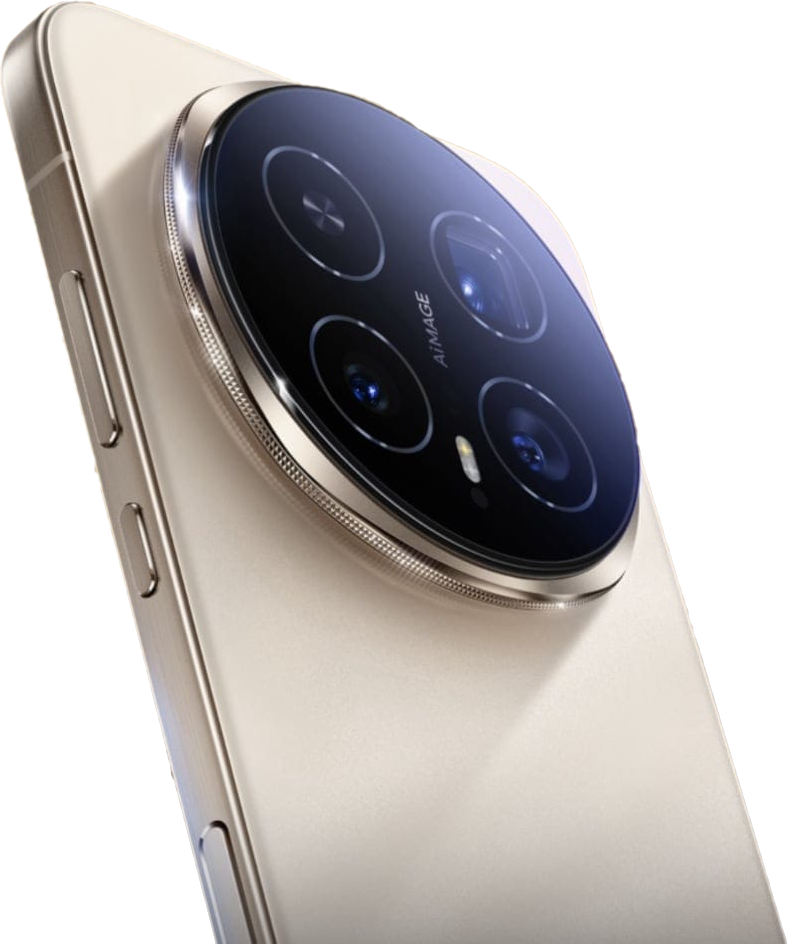
The Oppo Find N6 shows up with newer hardware, bigger numbers, and what looks like a clear advantage across the board. Meanwhile, the Samsung Galaxy Z Fold 7 walks in with a more familiar formula—slightly dated on paper, but backed by years of refinement.

So naturally, you’d expect Oppo to dominate.

But once you actually start using these two phones side by side, something interesting happens. The gap you expected? It doesn’t show up the way you thought it would. In fact, in some areas, it flips completely.

And that’s what makes this comparison worth talking about.


The Feel in the Hand: Where the Experience Begins

Before you even get into performance, cameras, or software, there’s something simple that shapes your entire experience—how the phone feels when you hold it.

Samsung sticks with its signature squared design, and there’s no denying it looks clean and premium. But those sharp edges? They’re noticeable. Spend enough time holding it open, especially while multitasking or watching content, and you start to feel it pressing into your hand.

Oppo takes a softer approach—literally. The rounded edges and slightly different proportions make it feel more natural, almost more relaxed in the hand. It’s one of those things you don’t think about at first, but after a few hours, you realize which one you’d rather keep holding.

Even the camera bump plays a role here. Oppo’s design actually helps stabilize your grip a bit when you’re shooting, while Samsung’s vertical layout still has that familiar wobble when you set it down on a table. It’s not a dealbreaker, but it’s one of those little details that reminds you design choices matter.


Size, Balance, and the Subtle Differences That Add Up

On paper, these two devices are nearly identical in size and thickness. In your pocket, they feel like any other flagship phone—something that still feels impressive considering you’re carrying a foldable.

But once again, the real-world experience tells a slightly different story.

Oppo feels more balanced. Not lighter on paper, but lighter in use. That extra bit of width gives your hand more to hold onto, making it feel less awkward when unfolded. Samsung, while still perfectly usable, leans more toward that narrow, taller feel that can take some adjusting.

These are small differences, but they add up quickly when you’re using the phone every day.


Software: Two Philosophies, Two Experiences

If there’s one area where these two brands clearly take different approaches, it’s software.

Samsung gives you control—lots of it. But it expects you to work for it. To really unlock everything the Z Fold 7 can do, you’ll likely find yourself diving into Good Lock, tweaking settings, and customizing your experience piece by piece.

Oppo, on the other hand, feels more like it’s already finished when you take it out of the box.

The features are there, but they’re easier to access. Gestures feel intuitive, customization is straightforward, and things just… make sense. Whether it’s creating large folders, navigating apps, or using quick gestures like drawing shapes on the screen to trigger actions, Oppo leans heavily into simplicity.

That doesn’t mean Samsung is worse—it just means it caters to a different kind of user. If you like dialing things in exactly how you want them, Samsung still has the edge. But if you prefer something that feels polished right away, Oppo makes a strong case.


Multitasking: The Gap Is Smaller Than You Think

Multitasking is one of the main reasons people buy foldables, so this part matters.

And surprisingly, it’s closer than expected.

Both phones handle split-screen apps, floating windows, and quick switching with ease. At one point, it even seemed like Oppo was missing a key multitasking feature—but it turned out to be an app-specific limitation rather than a system one.

Once everything was tested properly, both devices proved they could handle multitasking in very similar ways.

Samsung nolonger offers more flexibility in how you arrange things, Oppo’s implementation feels just as capable—and in some cases, even easier to use.


Performance: The Moment Everything Changes

Now here’s where things really take a turn.

If you’re judging strictly by benchmarks, Oppo wins. That newer processor puts up better numbers, and on paper, it looks like the faster device.

But then comes the real-world test.

Exporting a 4K video—something that pushes a device over time, not just in short bursts.

And suddenly, Oppo finishes last.

That’s not a typo.

Despite having the newer chip, the Find N6 slows down under sustained load, likely due to thermal throttling. Meanwhile, Samsung, with its older hardware, keeps pushing and finishes the job faster.

It’s one of those moments that completely shifts your perspective. You realize very quickly that raw specs don’t tell the whole story.

Optimization, heat management, and software tuning matter just as much—sometimes more—than the chip itself.


Cameras: When Bigger Numbers Actually Do Matter

Both of these phones come equipped with 200MP main sensors, which sounds impressive, but the real story is in how they perform beyond that headline spec.

In daylight, the main cameras are surprisingly close. Colors, detail, and overall quality are excellent on both, with only slight differences depending on how each brand processes images.

But zoom? That’s where Oppo takes a clear lead.

With a 50MP zoom lens compared to Samsung’s 10MP, the difference is immediate. Images are sharper, more detailed, and hold up better the further you zoom in.

And here’s the twist—the 200MP mode isn’t always the best option. In fact, many of the best results come from stepping down to 50MP, where processing is faster and images look cleaner.

It’s a reminder that bigger numbers don’t always equal better results.


Night Photography and Video: Samsung Strikes Back

As soon as the sun goes down, the balance shifts again.

Samsung’s experience in night photography shows. Its images tend to look more natural, with better control over lighting and less aggressive processing. Oppo, while often brighter, can sometimes push things a bit too far, making scenes look less realistic.

Video performance tells a similar story.

Samsung handles low-light video more consistently, while Oppo still struggles to match that level of refinement. It’s an area where Samsung’s years of tuning really pay off.


So What’s the Verdict?

If you came into this expecting a clear winner, you’re not going to get one.

Oppo brings real advantages—better zoom, faster charging, and a more user-friendly out-of-the-box experience.

Samsung counters with stronger video performance, better low-light consistency, and more reliable sustained performance.

But the bigger takeaway is this: foldables have reached a point where the differences aren’t about “better” anymore—they’re about preference.

And honestly, that might be the most exciting part of all.

Because for the first time, choosing a foldable isn’t about compromise.

It’s about choice.

Oppo Find N6 vs OnePlus Open: The Upgrade That Wasn’t?

If you’ve been following foldables over the last few years, you already know the OnePlus Open made a serious impact when it launched. It wasn’t just good—it was the foldable to beat. Fast forward to today, and we finally have its spiritual successor in the Oppo Find N6. On paper, it looks like a massive leap forward: newer chip, bigger battery, upgraded cameras.

But here’s the real question—and it’s the same one driving this entire comparison: Is it actually worth upgrading?

After putting both of these side by side—from daily use to cameras, performance, and everything in between—the answer might surprise you.


Same Feel, Same Speed… Three Years Later?

Let’s start with something simple: everyday use.

You’d expect the newer phone—the Find N6 with its Snapdragon 8 Elite chip—to absolutely crush the older Snapdragon Gen 2-powered OnePlus Open. But that’s not really what happens.

Opening apps, scrolling through YouTube, launching browsers—these two feel nearly identical. In some cases, the OnePlus Open even feels just as quick or quicker. That’s not something you’d expect from a three-generation gap, but it speaks volumes about how optimized the OnePlus Open already was.

Both devices come loaded with 16GB of RAM and 512GB of storage, and honestly, it shows. There’s no lag, no hesitation, no feeling that one is dramatically ahead of the other.

So right out of the gate, one thing becomes clear: performance alone is not a reason to upgrade.


Displays: Bigger, But Not Better

Yes, the Oppo Find N6 gives you a slightly larger inner display. And yes, it’s sharp, bright, and beautiful—just like you’d expect.

But here’s the twist: the OnePlus Open already nailed this years ago.

The crease? Barely visible on both.
Brightness? Nearly indistinguishable in real-world use.
Color and clarity? Practically identical.

Even outside in direct sunlight, where specs suggest the N6 should dominate, the difference is almost impossible to spot. Numbers on paper don’t always translate into real-world wins—and this is a perfect example.


Multitasking: Surprisingly Competitive

Foldables live and die by multitasking, and both of these devices bring serious capability.

Split screen? Easy.
Floating windows? No problem.
Three apps at once? Absolutely.

At first glance, the Find N6 seems to have an edge with flexibility. But after digging deeper—and even correcting a setting mid-test—the OnePlus Open matches it feature for feature. You can run three apps side-by-side, float additional apps, and customize layouts on both.

The takeaway?
There’s no meaningful upgrade here either. Both deliver a top-tier foldable multitasking experience.


Cameras: The Biggest Surprise

This is where things get really interesting.

On paper, the Oppo Find N6 should dominate:

  • 200MP main sensor
  • 50MP ultra-wide
  • 50MP zoom

Compared to the OnePlus Open:

  • 48MP main
  • 48MP ultra-wide
  • 64MP zoom

You’d expect a clear winner.

But in real-world testing? Not so much.

Daytime Photography

Photos are shockingly close. Colors, detail, dynamic range—they’re nearly identical. In some cases, the OnePlus Open even edges ahead with slightly better clarity and more natural color tones.

Zoom shots? Again, neck and neck.

Night Photography

Neither phone truly excels here. Both struggle with blur and noise at higher zoom levels. The Find N6 sometimes appears brighter, but that comes at the cost of added noise due to higher ISO.

And then there’s the 200MP sensor…

The 200MP Reality Check

Here’s the honest truth: it’s mostly a gimmick.

To even use it, you have to dig into special modes, wait for processing, and deal with massive file sizes. And when you compare it to a standard 50MP or even 12MP shot?

You’re not gaining much—if anything noticeable.

As the testing clearly shows, you’re often getting similar results with faster processing and less hassle using the lower-resolution modes.

Bigger numbers don’t equal better photos.


Performance Benchmarks vs Reality

Benchmarks tell one story. Real life tells another.

Yes, the Find N6 technically scores higher. But the difference is surprisingly small—especially in multi-core performance. In fact, the older OnePlus Open keeps up far better than expected.

Why? Throttling.

Modern chips are being limited to manage heat and battery efficiency, which means you’re not always getting the full potential of newer processors.

So once again:
The upgrade looks bigger on paper than it feels in your hand.


Battery & Charging: The One Real Upgrade

Finally, an area where the Oppo Find N6 clearly pulls ahead.

  • 6000mAh battery vs ~4800mAh
  • Faster 80W wired charging
  • Longer overall endurance

In real-world testing, both phones lasted days—but the Find N6 held on longer, even with heavier usage.

If battery life matters most to you, this is one of the few areas where the upgrade actually makes sense.


Sound: Louder vs Balanced

The OnePlus Open is noticeably louder, thanks to its speaker setup.

But louder doesn’t necessarily mean better. The Find N6 holds its own with balanced audio that doesn’t sound tinny or weak.

Still, if you care about volume, the OnePlus Open has the edge.


So… Should You Upgrade?

After everything—performance, display, cameras, multitasking—the conclusion becomes pretty clear:

If you already own the OnePlus Open, the Oppo Find N6 is not a must-upgrade device.

Yes, it brings:

  • A bigger battery
  • A newer chip
  • Updated hardware

But in real-world use?
It feels more like a refinement than a revolution.


The Bigger Picture

This comparison highlights something important about foldables right now:

We’re hitting a plateau.

Improvements are becoming smaller, more incremental, and harder to notice in everyday use. The OnePlus Open was ahead of its time—and the Find N6 proves just how well it has aged.

So unless you really need that battery boost or just want the latest hardware, you might be better off holding onto what you’ve got and waiting for the next true leap forward.


Now the real question is yours:

Would you upgrade—or stick with the OnePlus Open?

Watch part one and two:

Honor Magic V6 vs V5: A Real Upgrade… or Just Hype?

There’s a new foldable on the horizon, and if you’ve been following the space, you already know this one is getting a lot of attention. The Honor Magic V6 is right around the corner—but here’s the real question: is it actually worth upgrading from the V5?

Because let’s be honest… that’s not a small question.

The Honor Magic V5 wasn’t just another foldable—it was one of the best. In fact, it earned “phone of the year” status for a reason, from GOT. So when something new comes along, it has a lot to live up to. And after digging through the leaks, specs, and real-world comparisons, the answer isn’t as obvious as you might think.


The Big Upgrades (On Paper)

Let’s start with the stuff that sounds impressive—because there are definitely a few headline upgrades here.

Battery Life: This Is Massive

The first thing that jumps out is the battery. The V5 already had one of the largest batteries in the foldable space at around 5,820mAh (and even larger in some regions). That alone made it a standout.

But the V6? It’s rumored to push toward 6,600mAh.

That’s not a small bump—that’s a leap.

If the V5 can already deliver close to two days of use, the V6 could realistically push into three-day territory. That’s a game-changer in the foldable world, where battery life has always been a weak point.

Performance: Faster, But Does It Matter?

The V6 is also expected to bring the next-generation Snapdragon chip—the successor to the already impressive Snapdragon 8 Gen Elite.

Now here’s the interesting part: the V5’s chip is already incredibly fast. In real-world testing, it’s been shown to outperform competitors—even beating some newer chips in sustained workloads like video editing.

So yes, the V6 will be faster… but the real question is: will you actually feel it?

For most users, probably not in everyday use.


Cameras: Where Things Get Complicated

This is where the conversation shifts—and where things start to get a little controversial.

The V6 is NOT introduce-ing a 200MP main camera, which sounded like a huge upgrade. But if you’ve followed this space for any length of time, you know megapixels don’t always tell the whole story.

In fact, they often don’t.

The 200MP Question

There’s been a growing skepticism around these ultra-high megapixel sensors, especially when they’re used as the main camera. Processing, software tuning, and sensor behavior often matter far more than raw numbers.

Interestingly, the best use of a 200MP sensor right now seems to be in telephoto zoom, not the main camera. That’s where it truly shines—capturing detail at distance without losing clarity.

And here’s the catch…

The Same Exact Zoom as the V5?

The V5 currently features a 64MP telephoto lens, which delivers excellent detail and a natural look in zoom shots.

The V6? Has the same 64MP zoom lens.

That’s… not what most people would call an upgrade.

In real-world comparisons, higher-resolution zoom sensors (like 64MP) have consistently produced better detail than lower-resolution alternatives—even when those alternatives have better specs on paper.

So unless Honor pulls off some serious processing magic, there’s a real chance the V6 could be loosing an opportunity here.


Processing vs Reality

One of the most interesting observations comes from comparing newer devices with similar hardware.

Even when newer chips and updated cameras are introduced, the results don’t always improve. In some cases, newer devices rely heavily on AI processing—sometimes to the point where images look overly bright or artificially enhanced.

And that’s exactly the concern here.

Early impressions suggest that newer processing trends may favor brightness and AI enhancement over natural detail—something that many users (especially enthusiasts) don’t actually prefer.

The V5, by comparison, delivers a more natural look right out of the camera.


Design and Build: Thinner… But at What Cost?

The V6 is expected to get slightly thinner and lighter, possibly using new materials like fiberglass to reduce weight.

On paper, that sounds great. Thinner is always better, right?

Maybe.

But here’s the trade-off: durability and feel.

The V5 is already incredibly thin at around 4.2mm when unfolded. Going even thinner might not dramatically change your experience—but it could impact how the phone feels in hand or how durable it is over time.

Sometimes, thinner isn’t always better—it’s just… thinner.


Durability: A Real Upgrade

One area where the V6 does seem to improve meaningfully is durability.

The V5 already offers solid protection, but the V6 is expected to step up to IP68-level resistance, bringing it closer to flagship slab phones in terms of water and dust protection.

That’s a legitimate upgrade—and one that actually matters in everyday use.


AI and Features: More of the Same?

When it comes to software and AI features, expectations should stay realistic.

The V6 will likely launch with the same OS version as the V5, meaning most of the core experience will feel very similar. While there may be some new AI features, there’s also a pattern of manufacturers holding back certain capabilities on older devices to encourage upgrades.

So while the V6 may introduce new features, don’t be surprised if they feel more like incremental additions rather than major breakthroughs.


So… Should You Upgrade?

This is where it all comes together.

If you’re coming from an older device—say the V3 or something earlier—the V6 could be a massive upgrade. Battery life, performance, durability… all of it would feel like a big step forward.

But if you already have the V5?

That’s a much tougher call.

Yes, you’ll get:

  • A bigger battery
  • A newer chip
  • Slight design tweaks
  • Better durability

But you may also lose:

  • That natural image processing look
  • The “already great” performance advantage you didn’t really need to improve

Final Thoughts

The Honor Magic V6 is shaping up to be an impressive foldable—no doubt about it. But impressive doesn’t always mean necessary.

If the V5 didn’t exist, the V6 would look like a no-brainer.

But it does exist—and it’s still one of the best foldables out there.

So the real question isn’t “Is the V6 better?”

It’s this:

Is it better enough to upgrade?

And right now… that answer isn’t as clear as you might expect.

Honor Magic V5 vs Magic 8 Pro: The Truth About Foldables vs Flagships

The Showdown No One Can Ignore

On one side, you’ve got the foldable favorite—the Honor Magic V5. A device that’s been a go-to for productivity, media consumption, and just about everything else for the past year. On the other, the newer, sleeker contender—the Honor Magic 8 Pro. A traditional “bar phone” packed with updated hardware, refined design, and some serious camera tech.

Now here’s the twist: this isn’t about folding versus unfolding. Not this time.

Instead, this comparison strips things down to what really matters for most people—day-to-day performance, usability, cameras, and overall experience. Because let’s be honest… not everyone walks around with their phone unfolded all day.

Same Software, Different Personalities

Right out of the gate, both phones feel incredibly familiar. That’s because they’re running the same MagicOS 10 experience. Layout, customization, gestures—it’s all there, and it’s polished. You’ve got large folders, flexible layouts, and a level of customization that honestly puts a lot of other Android skins to shame.

But under the hood? That’s where things start to separate.

The Magic 8 Pro brings in a newer chip—the Snapdragon 8 Gen 5—while the Magic V5 is powered by the Snapdragon 8 Gen Elite. On paper, that sounds like an easy win for the newer phone.

But real-world usage has a funny way of flipping expectations.

Despite having “lesser” hardware on paper, the V5 keeps right up—and in some cases, even pulls ahead. Everyday tasks? Smooth on both. Scrolling, switching apps, multitasking—it’s all fluid. If you handed either phone to someone blindfolded, they probably wouldn’t be able to tell the difference.

When Benchmarks Lie

Here’s where things get really interesting.

Run a benchmark test, and the Magic 8 Pro comes out on top—exactly as expected. Higher scores, faster chip, everything looks right.

But push both phones into real-world workloads—like video editing or heavy processing—and suddenly the V5 starts outperforming.

Why?

Thermals.

The Magic 8 Pro’s newer chip appears to throttle under sustained workloads, dialing back performance to keep temperatures in check. Meanwhile, the V5 maintains steady output and quietly wins the race.

It’s one of those moments that perfectly highlights something I’ve said before: specs don’t always tell the whole story.

Desktop Mode: Surprisingly Close

If you’re someone who likes to use your phone as a desktop replacement, both of these devices deliver a solid experience.

Hook either one up to an external display, and you’re greeted with a surprisingly capable desktop environment—complete with windowed apps, drag-and-drop functionality, and a layout that feels more like a PC than a phone.

Multiple apps? No problem. Resizing windows? Easy. Smooth performance? Absolutely.

And here’s the kicker: there’s essentially no difference between the two.

That newer chip in the 8 Pro? It doesn’t translate into a better desktop experience. Both phones perform nearly identically here, which is actually a win for the older V5.

Cameras: The Real Separation

Now this is where the Magic 8 Pro starts to flex.

Both devices feature strong main cameras, but the 8 Pro takes things up a notch—especially with its 200MP periscope zoom lens. And when you zoom in? That’s when the gap becomes obvious.

Details that get slightly blurred on the V5 suddenly snap into clarity on the 8 Pro. Fine textures, distant objects, even architectural details—this is where that high-resolution zoom really earns its place.

In standard shots and well-lit conditions, the differences are subtle. You’ll get great photos from both. But if zoom photography matters to you, the 8 Pro clearly takes the lead.

Low light? Again, pretty close—but the 8 Pro edges ahead slightly with better processing and clarity.

Connectivity and Speed

When it comes to network performance, both phones are fast—but the Magic 8 Pro consistently shows a slight edge.

Whether it’s cellular speeds or Wi-Fi performance, the 8 Pro tends to come out just ahead. Is it a game-changer? Not really. But it’s noticeable enough to mention.

That said, both phones are already operating at speeds that feel instant in everyday use. So while the 8 Pro wins here, it’s not something that’s going to dramatically change your experience.

So… Which One Do You Grab?

This is where things get personal.

The Magic 8 Pro is the phone you’ll probably reach for more often. It’s sleek, fast, has a larger external display, and delivers top-tier camera performance—especially with that zoom lens. Add in the 3D face unlock for secure apps like banking, and it starts to feel like the complete package.

But the Magic V5? That’s the phone that changes everything the moment you open it.

Because no matter how good a slab phone gets, it still can’t compete with a foldable when it comes to versatility. That larger internal display transforms how you watch videos, multitask, and interact with your content.

And that’s the heart of this entire comparison.

The Real Point of This Comparison

This wasn’t about picking a winner.

It was about understanding what you actually gain—and what you don’t—when you move from a foldable to a traditional flagship.

What you learn is this: the gap isn’t as big as you might think.

In everyday use, these phones feel remarkably similar. Performance differences are minimal. Software is identical. Even multitasking capabilities are closer than expected.

But when you open that foldable? That’s when the experience changes in a way no slab phone can replicate.

Final Thoughts

The Honor Magic 8 Pro proves that bar phones are still evolving—and doing it well. It’s fast, refined, and arguably the better choice for photography and everyday convenience.

But the Magic V5 reminds you why foldables exist in the first place.

If you value versatility and that “wow” factor every time you open your device, the foldable still holds its ground—and then some.

So the real question isn’t which one is better.

It’s this: what kind of experience do you actually want from your phone?

iPad Pro M5 vs. Today’s Top Foldables: The Mobile Editing Showdown

In the world of mobile editing, there’s always the ongoing debate about which device delivers the best performance—especially when it comes to multitasking and processing power. I’ve always loved using foldables for editing because of their larger screens and flexibility, but recently, I decided to add another contender to the ring: the iPad Pro M5. With its M5 chip promising to take mobile processing to the next level, I was eager to see how it would stack up against today’s top foldables, like the Honor Magic V5 and the Vivo X Fold 5. Could the iPad’s large, stunning display compete with the foldables’ multitasking capabilities? Let’s dive into the results!

The iPad Pro M5 vs. Foldables: Design and Multitasking

When it comes to design, the iPad Pro M5 has a clear advantage with its large, beautiful screen, which is perfect for multitasking and editing. But how do the foldables compare? The Honor Magic V5 and Vivo X Fold 5 both feature impressive foldable displays, which offer a larger surface for multitasking in tablet mode, giving them an edge in this area. But the iPad is known for its smooth workflow, and I wanted to see just how it compared when both the Honor Magic V5 and Vivo X Fold 5 are unfolded.

Starting with multitasking, both foldables shine here. On the Honor Magic V5, multitasking is a breeze, allowing you to run multiple apps side by side with ease. Similarly, the Vivo X Fold 5 also offers smooth multitasking and supports up to four apps running at once when using Work Bench. The iPad Pro M5, however, requires a bit more effort. While you can run apps side by side, similar to that of Work Bench it isn’t as intuitive. It requires a long press and drag to place apps into split-screen mode, which, compared to the foldables, feels clunkier.

Performance: iPad Pro M5 vs. Foldables

Next, let’s talk about performance. The iPad Pro M5 is powered by Apple’s M5 chip, which is one of the fastest mobile processors around. So, I wanted to see how well it held up against the Honor Magic V5 and Vivo X Fold 5. To test this, I used a video editing app called InShot to process a 4K video and see how quickly each device could export it.

Surprisingly, the iPad Pro M5 didn’t blow the foldables out of the water as I had expected. Despite being equipped with Apple’s fastest chip, the iPad Pro was slower to process the video than both the Honor Magic V5 and Vivo X Fold 5, with the Vivo X Fold 5 finishing first. In fact, the iPad lagged behind, even with its superior chip. The Honor Magic V5 and Vivo X Fold 5 both delivered excellent results, showing that they can handle demanding tasks just as well as, if not better than, the iPad.

Camera Performance: Apple vs. Android

When it comes to cameras, the iPad Pro M5 is undeniably impressive, but it’s not quite a match for the Honor Magic V5 or Vivo X Fold 5 when it comes to versatility. The iPad Pro M5 has good cameras for a tablet, but they aren’t designed for the same level of detail and precision as the Honor Magic V5 and Vivo X Fold 5. In my test shots, I found that the Vivo X Fold 5 performed better, offering clear and detailed images, especially in low-light conditions. The Honor Magic V5 came close, but the iPad Pro M5 still held its own with its crisp shots and improved image stabilization.

Customization and Flexibility

One of the key strengths of foldables like the Honor Magic V5 and Vivo X Fold 5 is their customization and flexibility. For example, the Honor Magic V5 allows you to stack widgets and customize the home screen extensively. The Vivo X Fold 5 offers a “workbench” feature that allows you to run four apps simultaneously, which is incredibly useful for those who need to juggle multiple tasks. The iPad Pro M5, on the other hand, offers limited customization options compared to these foldables, and apps are not as flexible in terms of layout.

Final Thoughts: Is the iPad Pro M5 Really Necessary?

After all of these tests, my conclusion is clear: while the iPad Pro M5 offers a beautiful, large screen and superb performance for certain tasks, it’s not necessarily the go-to device for mobile editing anymore. The Honor Magic V5 and Vivo X Fold 5 both provide incredible multitasking abilities and a smooth workflow for editing, which makes them great alternatives to the iPad for productivity on the go. That said, the iPad Pro would be preferred for is size and app compatibility for full form editing programs like DaVinci Resolve.

So, while the iPad Pro M5 is still a powerhouse in its own right, foldables might just be the future of mobile productivity. What do you think? Will foldables take the lead, or does the iPad Pro M5 still reign supreme? Let me know your thoughts in the comments!

Honor Magic V5 vs Pixel 10 Pro Fold: A Daily Driver Face-Off

When it comes to foldables, two devices are standing out as my favorite daily carriers: the Honor Magic V5 and the Pixel 10 Pro Fold. They both offer impressive features, but what sets them apart? Let’s dive into the details of these devices and explore why they’re my go-to phones.

First, let’s talk about the look and feel of these foldables. When placed side by side, you’ll notice that the Honor Magic V5 is significantly thinner than the Pixel 10 Pro Fold. The thinner profile of the Honor makes it feel lighter and more comfortable to hold throughout the day. On the other hand, the Pixel 10 Pro Fold has a heftier feel, but it’s still manageable. Both devices have large camera bumps, with the Honor Magic V5 sporting a notably bigger bump, which contributes to its bulkier feel.

In terms of screen size, both phones are pretty much identical with an 8-inch internal display. However, the Pixel 10 Pro Fold has a slightly wider design, giving it a bit more space to work with. But when it comes to actual usability, they feel quite similar in your hand. The experience is smooth on both devices, and they handle apps with ease. I love using the Google Keyboard on both phones, especially for accurate text-to-speech and typing.

Performance-wise, AI integration on both devices is top-notch. Both phones handle AI-powered tasks like rephrasing text and proofreading with ease. You’ll notice that the Pixel 10 Pro Fold is just a hair faster at processing these tasks, but overall, they perform identically. This makes both devices very efficient for my daily needs, whether I’m responding to comments or typing out emails.

Moving to the internal screens, the Pixel’s 8-inch display feels more secure when placed flat, whereas the Honor Magic V5 is a bit wobbly. However, the Honor wins points for its customizability. The Magic V5 offers more flexibility with app sizes and widgets, allowing for a more tailored user experience. This is where the Honor Magic V5 pulls ahead, giving me greater control over my interface compared to the more rigid Pixel 10 Pro Fold.

Camera performance is where the two really start to differ. Both devices have impressive sensors, but the Honor Magic V5 tends to add more saturation to images, whereas the Pixel 10 Pro Fold leans toward a more natural, subdued look. The Pixel’s camera tends to perform better in terms of clarity, especially in low-light conditions. However, if you prefer brighter, more vibrant photos, the Honor Magic V5 might be the way to go.

As for the user interface, the Pixel 10 Pro Fold has a cleaner, simpler approach, but the lack of customization can feel limiting. In contrast, the Honor Magic V5’s more flexible UI lets you stack widgets and move apps around with ease, providing a more dynamic experience. It’s little touches like this that make the Honor Magic V5 more enjoyable for long-term use.

When it comes to battery life, the Pixel 10 Pro Fold comes with a 4600mAh battery, while the Honor Magic V5 has a slightly larger 5000mAh battery. Both foldables perform well for a full day of use, but the Honor Magic V5 gives me a bit more peace of mind when it comes to lasting through the day without needing to top-up. Both phones support fast charging, with the Pixel offering a 30W wired charging speed, and the Honor Magic V5 supporting 40W wired charging.

Finally, let’s talk about security. The Pixel 10 Pro Fold has face ID recognition, which is super convenient for unlocking your phone, especially when accessing sensitive apps like banking or passwords. In comparison, the Honor Magic V5 relies on a fingerprint scanner, which is just as secure but doesn’t offer the convenience of facial recognition.

Service and support are another consideration. Since the Pixel 10 Pro Fold is readily available in the U.S., it comes with excellent warranty support and customer service from Google. Unfortunately, the Honor Magic V5 isn’t as widely available outside of China, meaning support might be harder to come by, especially if you run into issues with your device.

At the end of the day, both the Honor Magic V5 and the Pixel 10 Pro Fold are excellent choices for daily use. They each have their strengths: the Honor offers a more customizable experience and better battery life, while the Pixel excels in camera clarity, ease of use, and security features. Ultimately, it comes down to personal preference. For me, both devices fit perfectly into my daily routine, and I carry both with me everywhere I go.

Which foldable do you prefer? Are you team Pixel 10 Pro Fold, or do you lean towards the flexibility of the Honor Magic V5? Let me know in the comments!

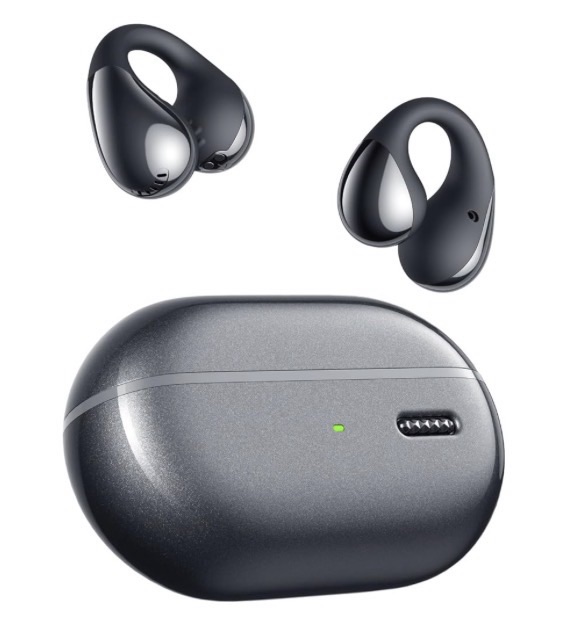
SOUNDPEATS Pearl Clips vs Clip 1: The Open-Ear Earbud Showdown Nobody Expected

If you’ve ever tried to enjoy your favorite playlist and still hear what’s going on around you, you know the struggle is real. Traditional in-ear earbuds sound great, but they plug your ears, get uncomfortable, and make you shout like you’re on a runway. That’s exactly why open-ear, clip-style earbuds exist—and today we’ve got two from SOUNDPEATS on the table: the Pearl Clips and the Clip 1.

I spent time unboxing, setting up, and actually living with both of these, and there were a few surprises—especially in the sound department. Let’s walk through what they’re like to use, how they sound, and which pair might be the better fit for you.

Meet the SOUNDPEATS Pearl Clips

The Pearl Clips are open-ear, clip-on earbuds designed for people who want audio and awareness. Instead of being shoved into your ear canal, they hook around your ear and rest just outside the ear, so your ears stay open and your surroundings stay audible.

Unboxing and First Impressions

Inside the box you get:

The Pearl Clips in a compact charging case A short USB-A to USB-C charging cable The usual paperwork

The case is small, pocket-friendly, and charges via USB-C on the back. Pop the lid, peel off the protective plastic, and you’re greeted with two sleek, lightweight clips that look a little like minimal, futuristic earrings.

When you put them on, the speaker portion rests near your ear opening while the arm wraps around the back of your ear. The clip is secure but not tight—they stay in place without pinching.

Right away, two things stood out:

Comfort – They’re extremely light and don’t create that plugged-ear feeling. You don’t hear your own voice booming inside your head. Awareness – Even with both on, I could still hear the room and my own voice naturally.

These are the kind of earbuds you could realistically wear for hours without your ears getting sore.

Battery Life & App Features (Pearl Clips)

On paper, the Pearl Clips are very respectable:

10-minute charge → about 2 hours of listening Up to 24 hours of total playback with the case

That’s more than enough for a commute, workday, or long walk, especially if you drop them back in the case between sessions.

Inside the SOUNDPEATS app, you get:

Battery levels for each earbud and the case Preset EQ modes (Classic, Treble, Bass Boost, etc.) An adaptive EQ hearing test that plays tones and builds a sound profile based on what you can and can’t hear

During that test there were a couple of frequencies I couldn’t hear, and the app adjusted the sound to compensate. It’s simple, but genuinely useful—especially if your hearing isn’t perfectly even across all frequencies.

No active noise cancelling here (which makes sense—they’re open-ear), but for walking, workouts, or general daily use, ANC isn’t the point. Awareness is.

How the Pearl Clips Sound

Now for the fun part.

I connected them to my phone, opened YouTube Music, and hit play on some relaxing 80s—starting with “Africa” by Toto. I expected “good for open-ear” sound.

What I got was “wow.”

The audio is clear The highs and mids are clean The bass is shockingly strong for earbuds that don’t actually seal your ear

At about three-quarters volume, they were loud. Turned up near max, I could barely hear myself talking over the music, even though my ears were technically still “open.” For open-ear earbuds, that’s pretty impressive.

Honestly, I prefer the sound of these over some traditional in-ear buds I’ve used—including big names like Samsung Buds and Apple’s AirPods. That surprised me.

Controls live on the part that rests near your ear:

Double-tap to play/pause Long press for next/previous track Swipe for volume up/down

They’re a bit sensitive, but once you learn the gestures, they’re very usable.

They’re also sweat and water resistant, so they’re safe for workouts, light rain, and everyday use—just don’t go swimming with them.

Enter the Clip 1: The “Big Brother” Earbuds

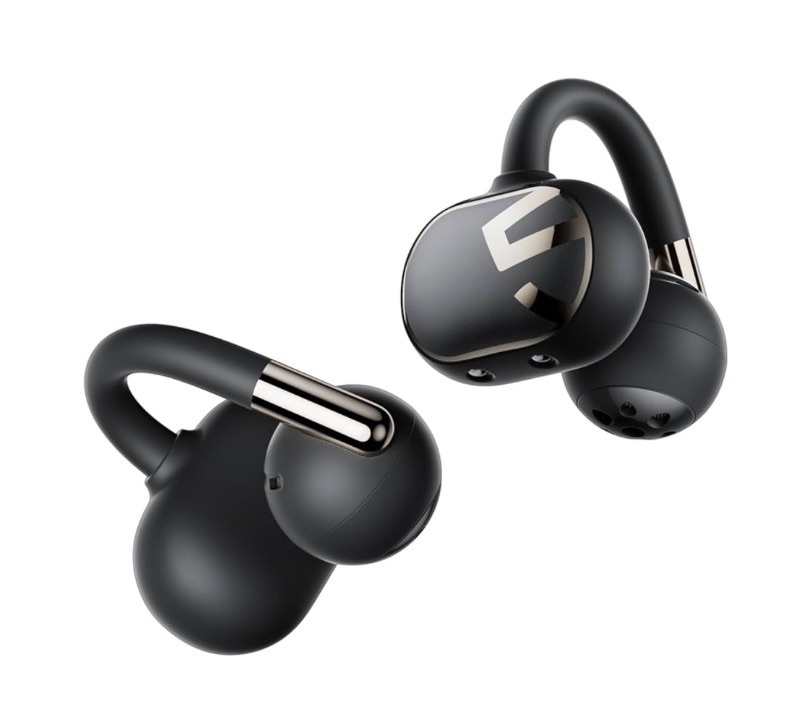
If the Pearl Clips are the “everyday open-ear buds,” the Clip 1 are their more serious, high-resolution sibling.

Design and Case

Right away, you notice:

The case is larger, with a bigger internal battery The earbuds themselves have a slightly beefier design with a more pronounced battery section

But despite the bigger size, they still feel light and comfortable on the ear, very similar in comfort to the Pearl Clips.

One very cool quality-of-life feature:

You can drop each earbud into either side of the case and it will still charge correctly. The left/right mapping adjusts automatically, so you don’t have to carefully line them up or think about which is which.

Battery & Features

This is where the Clip 1 really pulls ahead:

Up to 40 hours of total listening with the case (vs 24 hours on the Pearl Clips) In-ear detection – music pauses when you take them off Dual-device connection – pair to, say, your laptop and your phone at the same time. Listen to music on the computer, answer calls on your phone. Support for LDAC high-resolution audio Dolby Audio / Dolby Mobile modes in the app for enhanced sound

Think of these as the “pro audio” version of the Pearl Clips—but without actually being called “Pro.”

How the Clip 1 Sound

Once I fired up the Clip 1, the difference was clear:

All the good things about the Pearl Clips’ sound—clarity, detail, and punch—are still here, but the bass gets an extra boost and the overall sound feels richer.

With LDAC and the high-res tuning:

Bass hits harder and deeper Vocals stay clear Overall sound feels more “full” and immersive

If you’re particular about audio quality and really want that CD-like, high-resolution experience from an open-ear design, the Clip 1 is the better match.

Controls are similar but with a larger touch area:

Double-tap to play/pause Triple-tap to skip tracks Long presses and taps for other functions depending on your setup in the app

The bigger “paddle” section on the Clip 1 makes those gestures easier and more forgiving than on the smaller Pearl Clips.

Pearl Clips vs Clip 1: Which Should You Buy?

Both sets share some key strengths:

Open-ear comfort you can wear for hours Great awareness of your surroundings Solid sound quality (especially for open-ear) Sweat/water resistance

But they’re aimed at slightly different people:

Get the Pearl Clips if:

You have smaller ears or want the smallest, lightest feeling option You want something simple, comfortable, and great-sounding for walks, podcasts, and casual listening 24 hours of total battery life is more than enough for your routine

Get the Clip 1 if:

You care about audio quality first You like stronger bass and LDAC high-res audio support You want longer battery life (up to 40 hours total) You like conveniences like in-ear detection and dual-device connection

Shared Downsides

Neither case supports wireless charging There’s no active noise cancelling (by design—they’re open-ear)

But honestly, at around a third of the price of many big-brand earbuds, both of these deliver a lot of value—especially if comfort and awareness are high on your list.

Final Thoughts

I’ve used a lot of earbuds over the years, from Samsung to Apple to all kinds of budget brands. These SOUNDPEATS clip-style buds genuinely surprised me.

The Pearl Clips are fantastic everyday, open-ear earbuds with comfort and sound that punch way above their size. The Clip 1 takes that formula and turns it up a notch with better bass, LDAC support, smarter features, and marathon battery life.

If you’re shopping for yourself—or looking for a great gift, especially around Black Friday—either of these would make an awesome pick. Just decide whether you care more about ultimate comfort and compactness (Pearl Clips) or maximum sound quality and battery life (Clip 1). Check our Products page Here

Have you tried clip-on or open-ear earbuds before? Would you switch from traditional in-ear buds for comfort like this? Let me know—I’d love to hear your experience and what you’re using today.

Pixel 9/10 Pro Fold vs Honor Magic V5: Has Google Finally Caught Up?

When the Pixel 9/10 Pro Fold finally hit the market, I couldn’t wait to see how it stacked up against my daily driver — the Honor Magic V5. I’d been using the V5 for months, loving its mix of power, polish, and almost sci-fi multitasking. The question was simple: could Google’s latest foldable compete?

Well, after spending a lot of time flipping between the two, I’ve got some thoughts — and maybe a few surprises.


Design & Feel: Two Very Different Takes on Premium

Let’s start with what you feel first — the build. Both phones feel solid and high-end, but the Honor Magic V5 just has that extra touch of refinement. It’s got a more elegant color finish and thinner bezels that make it look futuristic next to the Pixel. Even the hinge feels smoother and more balanced.

Now, the Pixel 9 Pro Fold does have one advantage — it’s a bit wider, making it easier to type on when closed. The Honor, on the other hand, is slightly taller. Its 6.4-inch external display feels just right in the hand, while the Pixel’s 6.3-inch outer screen feels comfortable but more conservative.

The Pixel 10 Pro Fold (which I skipped this year) trims down the bezels slightly, but honestly — Honor’s been doing that level of design for years. Even compared to the OnePlus Open, the Magic V5’s bezels are thinner, cleaner, and more immersive. And when it comes to that dreaded crease in the middle? The Pixel’s is still clearly visible, while the Honor’s is barely noticeable.


Weight, Hinge, and Handling

The Honor Magic V5 is not only thinner — it’s lighter too. You feel that difference immediately when holding it for long periods. Both phones have side-mounted fingerprint sensors that are lightning fast, and both sound fantastic with true stereo speakers on either side. But the Pixel’s slightly thicker body gives it a deeper, bassier sound.

So, yes — the Pixel’s got the edge in audio, but for pure comfort and portability, the Honor Magic V5 wins hands down.


Software: Freedom vs. Familiarity

Here’s where the real separation begins.

Both phones run Android, but the Honor Magic V5 runs MagicOS 9.0 over Android 15, while the Pixel 9 Pro Fold runs Android 16 (with the 10 Pro Fold on Android 16). And that version difference doesn’t matter nearly as much as how each company uses Android.

On the Pixel, the software is clean, simple, and… well, pretty plain. You can’t resize widgets much, rearrange the layout freely, or do the kind of multitasking that the Honor can. MagicOS gives you true desktop-like freedom — you can open up to three apps at once, freely resize or move them, and even have floating mini-apps that pop up when you get a text.

The Pixel? Two apps at a time, max.

You can add a sidebar app on the Pixel using a third-party app, but it’s nowhere near as fluid. With Honor’s built-in multitasking, I can literally pull another app onto the screen mid-conversation, or drag-and-drop photos straight into another window. It feels alive — Pixel feels safe.


Brightness, Displays & Real-World Use

On paper, both have incredible displays — but Honor takes it up a notch.

The Pixel 10 Pro Fold offers 2000 nits typical brightness with 3000 nits peak on the cover screen, and 1800 nits on the inside (up to 3000 peak). The Honor Magic V5, however, goes up to a blinding 5000 nits peak brightness on both screens. Outdoors, the difference isn’t massive, but indoors, the Honor’s screen just feels more vibrant and less reflective thanks to its anti-glare coating.

Open both up side-by-side, and you’ll instantly notice the Pixel’s screen catching light while the Honor stays easy on the eyes. That’s a huge deal if you use your foldable for long editing sessions, media, or reading.


Cameras: Pixel’s Reputation vs. Honor’s Reality

Okay, let’s talk cameras — because this is where everyone expects the Pixel to dominate. And honestly, it’s closer than you’d think… but not quite a win for Google.

Both have great image processing, but the Honor simply has better hardware. The main sensor is 50 MP versus the Pixel’s 48 MP, but the real gap appears with zoom and ultra-wide.

  • Pixel 9/10 Pro Fold: 48 MP main, 10.8 MP ultra-wide, 10.8 MP 5× telephoto
  • Honor Magic V5: 50 MP main, 50 MP ultra-wide, 64 MP 3× telephoto

Even though the Pixel’s telephoto technically zooms farther (5×), its low 10 MP resolution can’t compete with the Honor’s 64 MP lens. The Honor’s shots come out crisper, with better color and contrast — especially when cropping in.

The Honor also gives you 20 MP selfie cameras on both screens, versus the Pixel’s 10 MP. And for videographers? Both are great, but the Honor’s interface saves your last camera mode — something the Pixel still doesn’t do. Small detail, big frustration.


Battery Life, Charging & Power

The Honor Magic V5 houses a massive 5820 mAh silicon-carbon battery — and it shows. It easily lasts longer than the Pixel 9 Pro Fold’s 4600 mAh pack. Even the newer Pixel 10 Pro Fold only goes up to around 5015 mAh, still not enough to catch up.

And when it comes to charging, it’s not even close:

  • Honor Magic V5: 66 W wired / 50 W wireless
  • Pixel 9 Pro Fold: 30 W wired / ~15 W wireless
  • Pixel 10 Pro Fold: 30 W wired / 15 W wireless

The Honor can fully recharge from 0 to 100% in about 45 minutes, while the Pixel takes nearly double that. The one neat trick Pixel has going is the new Pixel Snap magnetic ring for wireless charging — but you can add a $2 magnetic ring to the Honor and get the same functionality.


Performance: Snapdragon Power vs Tensor Struggle

Inside, the Honor Magic V5 runs the Snapdragon 8 Gen Elite, while the Pixel 9 Pro Fold uses the Tensor G4 and the Pixel 10 Pro Fold uses the new Tensor G5. The difference? Noticeable — especially in heavy multitasking, photo processing, and heat management.

The Tensor chip is fine for casual users, but it’s not built for efficiency or sustained performance. The Honor simply flies through demanding apps and keeps cool doing it. Benchmarks back that up, but even day-to-day usage tells the story: the Honor just feels snappier.


Final Thoughts — Who Wins?

If you love a clean, minimal interface and don’t mind slower charging or limited customization, the Pixel 9 Pro Fold (and the 10 Pro Fold) are solid options. The cameras are good, the design is refined, and it’s pure Android.

But if you want a truly next-gen foldable experience — powerful charging, huge battery, crazy multitasking, customizable software, and a near-invisible crease — the Honor Magic V5 is the clear winner.

I wanted the Pixel to surprise me. Instead, it reminded me that Google’s foldable story is still catching up. Honor, meanwhile, is writing the next chapter.


Your turn: Would you upgrade to the Pixel 10 Pro Fold for the slimmer bezels and Pixel Snap, or would you stick with a powerhouse like the Honor Magic V5? Let me know in the comments — and check out my video comparison for all the side-by-side footage and camera samples.

Honor Magic V5 vs VIVO X Fold 5: Which Foldable Wins the Daily Battle?

This is the matchup everyone’s been waiting for — Honor Magic V5 vs VIVO X Fold 5. Two of the most advanced foldables ever made, both thin, sleek, and ridiculously powerful. I spent several days putting them through my real-world daily routine — from unlocking screens and checking notifications to editing videos, snapping photos, and even doing my morning coffee scroll. So, how do they stack up head-to-head? Let’s dive in.


Design and Build

Right away, you’ll notice the VIVO X Fold 5 stands a little taller and slimmer, with softer rounded corners. The Honor Magic V5, on the other hand, has a slightly wider stance, which actually fits my hand better. It’s more comfortable to type on and easier to reach across the display — a subtle but meaningful win for Honor.

Both phones are impressively thin — around 9mm folded — but the Magic V5 does have a larger camera bump. In my “level test,” they were nearly identical in thickness, but when it came to the camera module, the V5 clearly sat higher off the table. Minor detail, but it’s noticeable.

VIVO adds a bonus feature: a programmable side button. It’s not a toggle like on the OnePlus Open, but you can assign it to mute, launch an app, or even trigger the camera. Handy touch, and I actually grew to like it.


Software & Daily Use

I’ll start with the disclaimer — my VIVO X Fold 5 is the Chinese version, while the Honor Magic V5 I used is global. So yes, there are some quirks. For instance, on the VIVO, your lock screen wallpaper mirrors your home screen, and you can’t change them separately. Small annoyance, but one that bugged me. Honor, thankfully, gives you full customization freedom.

Both phones unlock quickly with their side-mounted fingerprint readers. I used to think Samsung’s ultrasonic sensor was faster, but these two are lightning quick. No hesitation.

On the inside, both run Android 15, but they take different approaches.

  • Honor Magic V5: MagicOS 9, Snapdragon 8 Elite, 16GB RAM, 5820 mAh battery.
  • VIVO X Fold 5: ColorOS-based OriginOS 4, Snapdragon 8 Gen 3, 16GB RAM, 6000 mAh battery.

That means the VIVO technically has a bigger battery, but Honor’s new silicon-carbon cell makes up the difference with better efficiency.


Stylus & Connectivity

Here’s where Honor pulls ahead: stylus support on both screens. That’s right — you can use the Magic Pen on the cover and the inner display, and it’s great for note-taking or even thumbnail artwork (yes, I’ve made a few that way). The VIVO doesn’t have stylus support at all.

In my Wi-Fi speed test, the Honor Magic V5 hit 444 Mbps down and 8.3 Mbps up — basically maxing out my home internet plan. The VIVO X Fold 5 came close at 340 down and 9 up, but the edge went to Honor. However, on cellular, VIVO flipped the results — its signal speeds were almost triple Honor’s. So Wi-Fi lovers will lean Honor, while road warriors might prefer VIVO.

Now, about carrier compatibility — I called AT&T and Verizon, and both told me these devices weren’t officially supported. Yet dozens of users in my comments say they’re using both phones just fine. So your mileage may vary, but the reality is — they do work on U.S. networks.


Software Experience & Widgets

Both phones let you multitask beautifully, but they do it differently.
Honor uses a swipe-from-side gesture to open split-screen apps, while VIVO uses a three-finger swipe up. On Honor, you can go wild — even run three full-size apps simultaneously. Add “Workbench” mode, and you can technically juggle four. Perfect for research, notes, or — in my case — running Bible study tools side by side.

VIVO’s widget system is elegant, with interactive “stackable” cards for things like recorder, notes, and earbuds — though you’re limited to the pre-installed apps in the Chinese version. Honor’s widget options are more limited overall, but at least you get access to Google’s official widgets from the Play Store.


Camera Showdown

Time for the fun part — cameras.

Both devices deliver flagship-quality photos, but they take different approaches.
The Honor Magic V5 tends to produce brighter, more colorful shots — perfect for sharing right out of the camera. The VIVO X Fold 5, with its Zeiss optics, gives a more natural and cinematic tone.

At night, the story flips. Honor’s dedicated night mode keeps images clean and well-lit, while VIVO relies purely on its lens tuning — which can make shots look softer, though sometimes more realistic. I’ll say this: Honor wins for consistency, but VIVO’s camera feels more “pro” when lighting is good.

Zoom? Honor takes a slight lead up to 20x, but VIVO pulls ahead at extreme zoom (50x and beyond) with sharper details.

Portrait mode? Easy — VIVO wins. Its bokeh looks natural, while Honor’s portrait mode doesn’t always blur the background properly.

Macro photography is a toss-up — Honor captures great detail, but VIVO’s colors pop more.


Performance & Video Editing

Here’s where specs meet sweat. Both have top-tier chips — Snapdragon 8 Gen 3 vs 8 Elite — but the real-world difference is minimal. To test this, I edited and exported the same 4K video on both using PowerDirector.

To my surprise, VIVO initially exported faster — until thermal throttling kicked in. Then Honor’s Elite chip surged ahead, finishing just seconds faster. So while they’re nearly neck-and-neck, Honor Magic V5 ultimately wins in long, sustained performance.


Final Thoughts: Which One Do I Prefer?

Both are incredible foldables — and either could be your daily driver — but for me, the Honor Magic V5 edges out the win. It’s wider, easier to use, has stylus support, faster Wi-Fi, and a slightly better balance between camera brightness and consistency.

The VIVO X Fold 5, however, still shines with its Zeiss camera tuning, build quality, and great signal strength. If you prefer a slimmer feel and more natural photography, VIVO might be your pick.

But for everyday usability, the Honor Magic V5 is the foldable that keeps winning me over.


Would you pick width and stylus, or slim design and Zeiss lenses?
Join the discussion — I want to hear what you’d choose between these two powerhouses.