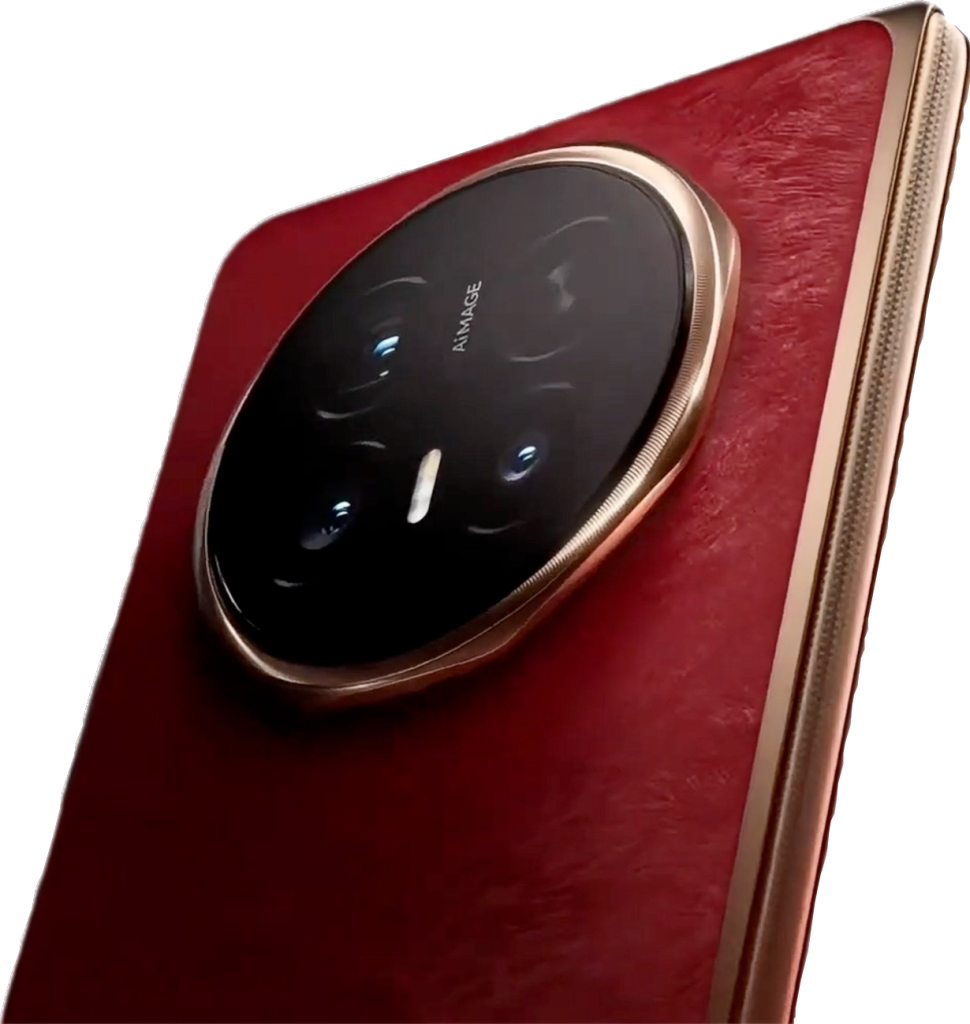
Galaxy Z Fold 8 After 3 Months: Not the Best Foldable… So Why Can’t I Put It Down?

The Razr Fold has better cameras. The Find N6 has better software. So why, three months later, does the hand keep reaching for the Galaxy Z Fold 8, and should you still buy one now that the iPhone Duo is here?

On paper, the Galaxy Z Fold 8 shouldn’t be the phone in the pocket every day.

The Motorola Razr Fold has better cameras and a bigger battery. The Oppo Find N6 has the best software and multitasking of any foldable out there. The tall Z Fold 7 has a 200MP main camera and a telephoto lens.

All of them are sitting right here. All of them are excellent.

And yet, three months later, the hand keeps reaching for the Z Fold 8.

Now that Apple’s iPhone Duo has arrived with the same wide, “passport” shape, the timing couldn’t be better to ask the real question: is the Z Fold 8 still worth buying? And why is the “lesser” phone so hard to put down?


The Better Phone Isn’t Always the Right Phone

Let’s get the obvious out of the way. The Z Fold 8 is not the best foldable on spec sheets.

The Razr Fold’s triple 50MP camera system and 6,000mAh battery beat it outright. It’s also quicker at a lot of tasks… and not because of raw horsepower. The Fold 8’s Snapdragon 8 Elite Gen 5 can run into thermal issues, while the Razr’s Snapdragon 8 Gen 5 stays cooler, making it the more consistent, smoother performer day to day. It’s still the favorite tall fold to date, and it still rides along as a secondary phone for exactly those reasons: cameras and battery life.

The Z Fold 7 has that 3x telephoto too… but it’s only a 10MP sensor. Crop in on the Fold 8’s 50MP main camera and you get a result that’s honestly better than the Fold 7’s zoom lens.

That’s not a typo.

So the tall, narrow Z Fold design? After three months with the Fold 8, there’s just not much use for it anymore.


Light, Balanced, and Easy to Live With

The first thing you notice is how it feels in the hand.

At 201 grams, the Z Fold 8 is Samsung’s lightest Fold yet. It’s small, it fits the hand, and it never feels like it’s about to tip over.

Pick up the Razr Fold right after, and the difference is not subtle. That massive camera bump makes it top-heavy, and it’s one of the heavier folds around. For good reason, sure… it’s carrying the better camera system. But you feel it every single time.

That’s the trade-off in a nutshell. And after three months, it’s really hard to pick anything else up.


The Crease: Still the One to Beat

Run a finger across the inner screen after three months of daily use. It’s still flat. You can hardly feel it.

A nearly invisible crease is one of the big selling points of the iPhone Duo. Before that, the Oppo Find N6 set the bar with its flat display. But the Fold 8’s crease is even harder to feel than the Find N6’s.

The iPhone Duo might have a small edge thanks to its anti-glare nano-texture finish, which helps hide the crease. Over time, though, that crease will likely show more.

On the Fold 8, even at an angle with the screen off, you’ll spot fingerprints before you spot a crease. To date, it’s the most creaseless foldable out there.


Daily Use: Where This Phone Wins

Let’s be real for a moment.

Daily use is browsing the web in the evening, answering emails, texting family and friends, and watching videos. Cameras matter on a photo shoot or a trip, and when that happens, a phone with better cameras comes along. For everyday photos, the Fold 8’s cameras are just fine.

So why not carry the phone that’s more comfortable and fits daily life better?

Even the cover screen makes the case. It’s noticeably wider than the tall folds, so texting is easier and everything feels less cramped. That narrow cover screen is exactly why the tall Z Folds have lost their appeal. Most messages get dictated anyway, so the “keyboard eats half the screen” complaint doesn’t really apply.

Open it up and there’s plenty of room to text, watch, and read.


A Warning for iPhone and S26 Ultra Users

Everything that makes the Z Fold 8 great applies to the iPhone Duo too.

So here’s the warning: once you go wide, you won’t want to go back.

Plenty of people buy the iPhone Pro Max for one reason… they want the biggest screen. A wide foldable is smaller in the pocket, but open it in landscape and you’ve got about 50% more screen than the Max. That’s exactly why people are trading their Max for an iPhone Duo. My younger brother, Tim, is making that exact switch.

The same logic hits the Galaxy S26 Ultra. It’s the “biggest phone”… until the Fold 8 opens up. And the Fold 8 is lighter, too.

The one thing the S26 Ultra still has going for it? The S Pen.


The Problems: What’s Missing

Is it perfect? No.

No telephoto camera. The Fold 8 runs a dual 50MP setup with no zoom lens. But on a daily basis, most people simply don’t use a telephoto.

No built-in magnets. There’s no MagSafe-style Qi2 magnets out of the box. Easy fix: a MagSafe case. With one on, the Fold 8 sits open on a magnetic car mount, running Google Maps while the music plays, and it doesn’t pivot or sag. The tall Z Folds never managed that, even in a strong MagSafe case. The same test with an iPhone Duo in a MagSafe case held just as solid.

No S Pen. This one stings. That smooth, nearly creaseless inner screen is the perfect surface for a stylus… and Samsung took it away. Apple is about to jump ahead here, since the iPhone Duo works with the USB-C Apple Pencil. At launch that support is limited to the iOS beta, but it’s coming.


DeX and Battery: Two Quiet Wins

Samsung DeX is still something nobody else does as well. Plug the Fold 8 into a monitor or TV (wired or wireless) and it becomes a desktop computer. It works the same on the foldable as it does on Samsung’s top bar phones.

Then there’s battery life, and this is where things get interesting.

Usually, the phone with the biggest battery lasts longest. The Fold 8’s 4,800mAh cell is smaller than the Z Fold 8 Ultra’s 5,000mAh. And yet, in real-world use, the Fold 8 actually outlasts the Ultra.

The likely reason? Screen use. With a usable cover screen, it’s roughly a 50/50 split between the outside and the inside display. All the quick communication happens on the front, so the big inner screen isn’t lit up all day.


So… Should You Still Buy the Z Fold 8?

This wide format is the real deal. Oppo, Honor, and Motorola are all coming with their own takes on it, and the iPhone Duo will get its own daily-driver test soon. The Fold 8 may not stay on top forever.

But right now?

If you’re on Samsung or Android and want a passport-style foldable, there aren’t many choices. The Z Fold 8 is the one to get, and you can buy it today.

If you’re an iPhone user who wants a foldable, the iPhone Duo is the one for you. Just know that deliveries are pushed out to late January. And please don’t pay an eBay scalper two or three times the price. Don’t reward that.


The Z Fold 8 isn’t the best foldable on paper.

It’s just the one that fits real life best.

And after three months, that’s what matters.
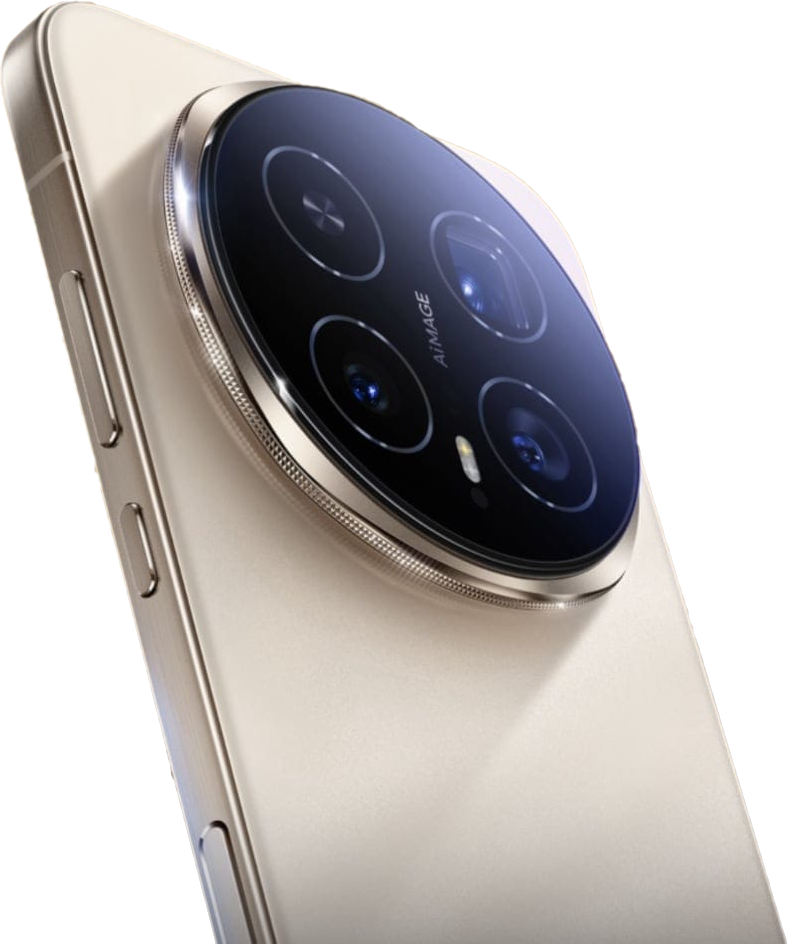
Z Fold 8 vs Samsung Galaxy Tablet: This Is What a Mature Foldable Looks Like

Some say a foldable can’t really be a tablet. After months with the Galaxy Z Fold 8 side by side with a Galaxy tablet, Samsung makes a pretty convincing case that it can.

For years, the argument has been simple: a foldable is a phone that opens up, and a tablet is a tablet. Different jobs. Different software. Maybe even different operating systems.

Samsung doesn’t buy it.

After several months with the Galaxy Z Fold 8, it’s hard to disagree. Open it up, set it beside a Samsung Galaxy tablet, and something becomes obvious very quickly…

They’re running the same playbook.

Same home screens. Same multitasking. Same muscle memory. Only one of them fits in your pocket.


A Quick Trip Down Tablet Lane

Tablets have gone through their share of growth spurts — from the early nine-inch slates to the 11-inch size that’s become the sweet spot today, with cheaper eight- and nine-inch models still hanging around.

The appeal has never changed: tons of apps and real portability. Laptops are heavier, and in a lot of ways they don’t have the same app library.

Smartphones grew up right alongside them. Then foldables showed up and started blurring the line.

One of the earliest foldables in this collection is Microsoft’s Surface Duo — two screens joined by a hinge, a little over eight inches of display when opened. It still works well. It still runs all the apps. It still feels like a mini tablet next to an 11-inch slate.

But two screens is a very different animal from what foldables are today.


Enter the Z Fold 8: A Tablet That Folds in Half

Fast-forward several years and here’s the Z Fold 8. Open it next to an 11-inch Samsung tablet and it’s noticeably smaller.

That’s the point.

Samsung’s approach is a phone on the outside and a tablet on the inside — and it does both really, really well. Everything the tablet does, the Fold does in a far more portable package.

And here’s the honest confession: the tablet barely gets used anymore. The Fold took its job.

Maybe that’s exactly why some other companies don’t let their foldables and tablets behave the same way.


Side by Side: Spot the Difference

Put them next to each other and the similarities jump out. Home screens with folders. Widgets everywhere. Customize anything, group anything. A dock along the bottom for favorite apps. Swipe up for the app drawer.

They’re practically twins.

Now the twist: the tablet here is a Galaxy Tab S7. It’s about six years old, it’s a cellular model, and it hasn’t seen a major software update in roughly three years.

That’s not a typo.

And yet it still looks and behaves almost identically to the brand-new Z Fold 8. Open the same browser on both at the same moment and the Fold 8 is quicker, sure… but not by a whole lot.

That’s a big plus for Samsung. The tablet didn’t get left behind. Samsung simply stopped updating it — and the experience held.


Multitasking: The Same Moves on Both

Tap the little bar at the top of an app and you can split the screen. On both devices. Open the Amazon app in the second pane and the Fold 8 is faster — it’s six years newer — but the old tablet still gets the work done.

The three-dot menu between the apps? Same options. Tap the star and you can save that app pair to the taskbar, then launch both apps together from anywhere. Same on both.

Slide up from the bottom, grab a third app — a photo gallery, in this case — and drop it in. Three apps on screen. That’s something you can’t do on some other foldables.

Then there’s the sidebar. Pull out the calculator, drag it onto the screen, and it becomes a floating window you can resize however you like. Do the same on the tablet and you get the same result. Plenty of other tablets — and foldables — can’t pull that off.

Is three apps side by side practical on the Fold? Honestly… not really. Things get cramped, though you can resize the panes to make them fit better. Most people will live with two apps plus the occasional floating window for messages or a quick calculation.

And that combination works beautifully.


Everyday Apps: Practically Identical

YouTube looks the same on both. Tap a video and it starts playing immediately on each. Scroll for more videos the same way. Go full screen on both. Pinch to zoom on both.

The small differences come down to age. On the Fold 8, a quick swipe up brings up the dock and it slips away again. On the older tablet, you press and hold instead. Slightly different gesture, same idea.

The tablet’s wider aspect ratio does give you a bit more to look at in full-screen video.

Otherwise? It’s all the same.


DeX: The One Real Difference

Here’s where they finally part ways.

On the tablet, DeX lives right in the quick panel. Tap it and the tablet boots into a desktop-style interface. Snap on the keyboard cover, add a mouse if you like, and you’ve got a fully functional laptop.

On the Z Fold 8, DeX needs an external display. You have to plug into another screen to use it.

Inside DeX on the tablet, apps act like windows on a computer. Shrink them, drag them, snap them to the side, resize them. Open Edge next to another app, drop Amazon in the middle, add the photo gallery… there’s no three-app ceiling like in the regular interface. Fire up Netflix, go full screen, and you’ve got the full experience.

That’s a genuine benefit of a Samsung tablet: it can stand in for a laptop.


The S Pen Problem

There’s one place Samsung stumbled. Starting with the Z Fold 7 series, and continuing with the Z Fold 8, the S Pen is gone.

The tablet still has it. Write, draw, annotate — everything the S Pen does, right there on the screen.

That might be the last real reason to carry a Samsung tablet around. Maybe that’s deliberate — the S Pen as Samsung’s dividing line between phone and tablet.

If so, it’s a mistake.


So… Is the Z Fold 8 Really a Tablet?

Pretty much, yes.

Samsung built a phone. Samsung built a tablet. Then Samsung built a phone-tablet. Same layout, same multitasking, same ability to work like a laptop.

Other companies keep their foldables and tablets on separate tracks. Samsung gives you the same experience no matter which device is in your hand — and for this content creator, that puts Samsung ahead of the competition on UI, operating system and ecosystem.

If you live in the S Pen, or you want laptop-style DeX without plugging into another screen, a Galaxy tablet still earns its spot in the bag.

If you want one device that does both jobs? The Z Fold 8, starting at $1,899.99, is the one.


A foldable can’t be a tablet? Samsung already proved otherwise.

It’s not a phone pretending to be a tablet.

It’s both.

The Update That Changed Everything: Oppo Find N6 Just Got Serious

Every now and then, a software update comes along that doesn’t just tweak a device—it transforms it. And that’s exactly what just happened with the Oppo Find N6.

If you’ve been following along, you already know this phone has been in heavy rotation—competing against some of the best foldables out there. But there was always one nagging issue holding it back: the camera consistency. More specifically, the white balance.

Well… that problem? It looks like it’s finally been fixed.

And the difference is not subtle.


A Before-and-After That Actually Matters

We’ve all seen “before and after” comparisons that don’t really show much. This isn’t one of those.

Side-by-side shots taken down the same street—same settings, same 50MP resolution—tell the story instantly. Before the update, images often looked overexposed, with highlights blown out and details getting lost in bright areas. At first glance, the newer image might actually seem darker, but once you zoom in, everything changes.

Suddenly, textures show up. The sidewalk has detail. The shadows aren’t just dark blobs—they have depth. Colors look more natural, more grounded in reality.

That’s the key takeaway here: this isn’t about brightness. It’s about balance.

The update appears to have corrected the white balance in a way that brings everything into harmony. And once you see it, it’s hard to unsee it.


It’s Not Just Photos—It’s the Whole Experience

What makes this even more impressive is that the improvement carries across the board.

Daytime shots now show better contrast and clarity. Colors don’t feel artificially boosted anymore—they feel accurate. Even when lighting conditions change, the camera adapts more naturally instead of overcompensating.

And then there’s night photography.

Previously, low-light shots could feel inconsistent. Highlights would blow out, shadows would lose detail, and portrait shots leaned a bit too heavily on artificial blur. Now? It’s a different story.

Lights hold their shape. Details remain intact. The image feels controlled rather than processed.

It’s the kind of upgrade that makes you go back through your gallery and realize just how much things have improved.


Video: The Real Surprise

If the photo improvements were impressive, video might be the real shocker.

Before the update, night video had its struggles—blown-out lights, soft detail, and occasional focus issues. But after the update, the difference is immediate.

Walking through a dimly lit area, you’ll notice that highlights stay contained instead of washing out the scene. Details remain sharp, even in motion. And perhaps most importantly, the camera now adjusts exposure smoothly without needing manual input.

There was even a moment where the camera locked focus instantly on a sign—something that previously required tapping the screen to correct.

That’s not just an improvement. That’s a fix.

And for a lot of users, that’s going to be the difference between “this camera is okay” and “this camera is actually great.”


One Month In… and the Decision Isn’t Easy

This update couldn’t have come at a better time.

After spending about a month with the Find N6—testing it against devices like the Samsung Galaxy Z Fold 7 and the Honor Magic V5—one question keeps coming up:

Is this the daily driver?

And the honest answer? It’s complicated.

On paper, the Honor still holds its ground. It’s slightly wider, charges faster, and has its own strengths. But in real-world use, something interesting is happening.

More often than not, the hand reaches for the Find N6.


Why the Find N6 Keeps Winning the Grab Test

Some of it comes down to size.

The Find N6 is just a touch taller, giving you a little more vertical space. It’s not a massive difference, but it’s noticeable. Content feels just a bit more immersive, and that adds up over time.

But the bigger factor? The user interface.

There’s a simplicity here that’s hard to ignore. Searching for apps is faster. Navigating folders feels more intuitive. Small touches—like being able to expand mini folders into full-sized previews—make everyday use feel smoother.

It’s not about having more features. It’s about making the features you use easier.

And that’s something you notice every single day.


Battery Life vs Charging Speed: A Trade-Off That Works

Battery life is another area where the Find N6 quietly pulls ahead.

Thanks to its newer chipset, it manages power more efficiently, often ending the day with 10–20% more battery than the competition. That’s a meaningful difference, especially for heavier users.

Charging, however, tells a different story.

Despite having faster charging specs on paper, it doesn’t actually charge as quickly as the Honor. And yes, that’s surprising. Even when using higher-watt chargers, the results stay about the same.

But here’s the thing—it doesn’t really matter.

Because when your phone lasts all day, needing a lightning-fast top-up becomes less critical. Plug it in for 30 minutes, and you’re good to go.


Performance: Great… With One Catch

Day-to-day performance is exactly what you’d expect from a flagship—smooth, responsive, and reliable.

But when you push it—especially with tasks like video rendering—you start to see some throttling. It’s not a dealbreaker, but it’s there.

That’s the trade-off for better battery efficiency. The chip is designed to conserve power, and sometimes that means dialing things back under heavy load.

For most people, it won’t matter. But for power users, it’s something to keep in mind.


So… Is This the Best Foldable Right Now?

With this update? It’s making a very strong case.

The camera improvements alone push the Find N6 into a different category. Combine that with solid battery life, a refined UI, and a form factor that just feels right, and you’ve got a device that’s hard to put down.

Is it perfect? No.

Is it easy to recommend? Absolutely.

And if you already own one and haven’t received the update yet—keep checking. Because once you get it, you might find yourself reaching for this phone more than anything else you own.


At the end of the day, that’s what matters most.

Not the specs. Not the hype.

Just the phone you actually want to use.

Oppo Find N6 vs Samsung Z Fold 7: The Spec Sheet Says One Thing… Reality Says Another

There’s something almost predictable about comparing phones these days. You pull up the specs, glance at the processor, check the camera numbers, and within about thirty seconds you’ve already decided which one “wins.”

That’s exactly how this comparison should have gone.

The Oppo Find N6 shows up with newer hardware, bigger numbers, and what looks like a clear advantage across the board. Meanwhile, the Samsung Galaxy Z Fold 7 walks in with a more familiar formula—slightly dated on paper, but backed by years of refinement.

So naturally, you’d expect Oppo to dominate.

But once you actually start using these two phones side by side, something interesting happens. The gap you expected? It doesn’t show up the way you thought it would. In fact, in some areas, it flips completely.

And that’s what makes this comparison worth talking about.


The Feel in the Hand: Where the Experience Begins

Before you even get into performance, cameras, or software, there’s something simple that shapes your entire experience—how the phone feels when you hold it.

Samsung sticks with its signature squared design, and there’s no denying it looks clean and premium. But those sharp edges? They’re noticeable. Spend enough time holding it open, especially while multitasking or watching content, and you start to feel it pressing into your hand.

Oppo takes a softer approach—literally. The rounded edges and slightly different proportions make it feel more natural, almost more relaxed in the hand. It’s one of those things you don’t think about at first, but after a few hours, you realize which one you’d rather keep holding.

Even the camera bump plays a role here. Oppo’s design actually helps stabilize your grip a bit when you’re shooting, while Samsung’s vertical layout still has that familiar wobble when you set it down on a table. It’s not a dealbreaker, but it’s one of those little details that reminds you design choices matter.


Size, Balance, and the Subtle Differences That Add Up

On paper, these two devices are nearly identical in size and thickness. In your pocket, they feel like any other flagship phone—something that still feels impressive considering you’re carrying a foldable.

But once again, the real-world experience tells a slightly different story.

Oppo feels more balanced. Not lighter on paper, but lighter in use. That extra bit of width gives your hand more to hold onto, making it feel less awkward when unfolded. Samsung, while still perfectly usable, leans more toward that narrow, taller feel that can take some adjusting.

These are small differences, but they add up quickly when you’re using the phone every day.


Software: Two Philosophies, Two Experiences

If there’s one area where these two brands clearly take different approaches, it’s software.

Samsung gives you control—lots of it. But it expects you to work for it. To really unlock everything the Z Fold 7 can do, you’ll likely find yourself diving into Good Lock, tweaking settings, and customizing your experience piece by piece.

Oppo, on the other hand, feels more like it’s already finished when you take it out of the box.

The features are there, but they’re easier to access. Gestures feel intuitive, customization is straightforward, and things just… make sense. Whether it’s creating large folders, navigating apps, or using quick gestures like drawing shapes on the screen to trigger actions, Oppo leans heavily into simplicity.

That doesn’t mean Samsung is worse—it just means it caters to a different kind of user. If you like dialing things in exactly how you want them, Samsung still has the edge. But if you prefer something that feels polished right away, Oppo makes a strong case.


Multitasking: The Gap Is Smaller Than You Think

Multitasking is one of the main reasons people buy foldables, so this part matters.

And surprisingly, it’s closer than expected.

Both phones handle split-screen apps, floating windows, and quick switching with ease. At one point, it even seemed like Oppo was missing a key multitasking feature—but it turned out to be an app-specific limitation rather than a system one.

Once everything was tested properly, both devices proved they could handle multitasking in very similar ways.

Samsung nolonger offers more flexibility in how you arrange things, Oppo’s implementation feels just as capable—and in some cases, even easier to use.


Performance: The Moment Everything Changes

Now here’s where things really take a turn.

If you’re judging strictly by benchmarks, Oppo wins. That newer processor puts up better numbers, and on paper, it looks like the faster device.

But then comes the real-world test.

Exporting a 4K video—something that pushes a device over time, not just in short bursts.

And suddenly, Oppo finishes last.

That’s not a typo.

Despite having the newer chip, the Find N6 slows down under sustained load, likely due to thermal throttling. Meanwhile, Samsung, with its older hardware, keeps pushing and finishes the job faster.

It’s one of those moments that completely shifts your perspective. You realize very quickly that raw specs don’t tell the whole story.

Optimization, heat management, and software tuning matter just as much—sometimes more—than the chip itself.


Cameras: When Bigger Numbers Actually Do Matter

Both of these phones come equipped with 200MP main sensors, which sounds impressive, but the real story is in how they perform beyond that headline spec.

In daylight, the main cameras are surprisingly close. Colors, detail, and overall quality are excellent on both, with only slight differences depending on how each brand processes images.

But zoom? That’s where Oppo takes a clear lead.

With a 50MP zoom lens compared to Samsung’s 10MP, the difference is immediate. Images are sharper, more detailed, and hold up better the further you zoom in.

And here’s the twist—the 200MP mode isn’t always the best option. In fact, many of the best results come from stepping down to 50MP, where processing is faster and images look cleaner.

It’s a reminder that bigger numbers don’t always equal better results.


Night Photography and Video: Samsung Strikes Back

As soon as the sun goes down, the balance shifts again.

Samsung’s experience in night photography shows. Its images tend to look more natural, with better control over lighting and less aggressive processing. Oppo, while often brighter, can sometimes push things a bit too far, making scenes look less realistic.

Video performance tells a similar story.

Samsung handles low-light video more consistently, while Oppo still struggles to match that level of refinement. It’s an area where Samsung’s years of tuning really pay off.


So What’s the Verdict?

If you came into this expecting a clear winner, you’re not going to get one.

Oppo brings real advantages—better zoom, faster charging, and a more user-friendly out-of-the-box experience.

Samsung counters with stronger video performance, better low-light consistency, and more reliable sustained performance.

But the bigger takeaway is this: foldables have reached a point where the differences aren’t about “better” anymore—they’re about preference.

And honestly, that might be the most exciting part of all.

Because for the first time, choosing a foldable isn’t about compromise.

It’s about choice.

Oppo Find N6 vs OnePlus Open: The Upgrade That Wasn’t?

If you’ve been following foldables over the last few years, you already know the OnePlus Open made a serious impact when it launched. It wasn’t just good—it was the foldable to beat. Fast forward to today, and we finally have its spiritual successor in the Oppo Find N6. On paper, it looks like a massive leap forward: newer chip, bigger battery, upgraded cameras.

But here’s the real question—and it’s the same one driving this entire comparison: Is it actually worth upgrading?

After putting both of these side by side—from daily use to cameras, performance, and everything in between—the answer might surprise you.


Same Feel, Same Speed… Three Years Later?

Let’s start with something simple: everyday use.

You’d expect the newer phone—the Find N6 with its Snapdragon 8 Elite chip—to absolutely crush the older Snapdragon Gen 2-powered OnePlus Open. But that’s not really what happens.

Opening apps, scrolling through YouTube, launching browsers—these two feel nearly identical. In some cases, the OnePlus Open even feels just as quick or quicker. That’s not something you’d expect from a three-generation gap, but it speaks volumes about how optimized the OnePlus Open already was.

Both devices come loaded with 16GB of RAM and 512GB of storage, and honestly, it shows. There’s no lag, no hesitation, no feeling that one is dramatically ahead of the other.

So right out of the gate, one thing becomes clear: performance alone is not a reason to upgrade.


Displays: Bigger, But Not Better

Yes, the Oppo Find N6 gives you a slightly larger inner display. And yes, it’s sharp, bright, and beautiful—just like you’d expect.

But here’s the twist: the OnePlus Open already nailed this years ago.

The crease? Barely visible on both.
Brightness? Nearly indistinguishable in real-world use.
Color and clarity? Practically identical.

Even outside in direct sunlight, where specs suggest the N6 should dominate, the difference is almost impossible to spot. Numbers on paper don’t always translate into real-world wins—and this is a perfect example.


Multitasking: Surprisingly Competitive

Foldables live and die by multitasking, and both of these devices bring serious capability.

Split screen? Easy.
Floating windows? No problem.
Three apps at once? Absolutely.

At first glance, the Find N6 seems to have an edge with flexibility. But after digging deeper—and even correcting a setting mid-test—the OnePlus Open matches it feature for feature. You can run three apps side-by-side, float additional apps, and customize layouts on both.

The takeaway?
There’s no meaningful upgrade here either. Both deliver a top-tier foldable multitasking experience.


Cameras: The Biggest Surprise

This is where things get really interesting.

On paper, the Oppo Find N6 should dominate:

  • 200MP main sensor
  • 50MP ultra-wide
  • 50MP zoom

Compared to the OnePlus Open:

  • 48MP main
  • 48MP ultra-wide
  • 64MP zoom

You’d expect a clear winner.

But in real-world testing? Not so much.

Daytime Photography

Photos are shockingly close. Colors, detail, dynamic range—they’re nearly identical. In some cases, the OnePlus Open even edges ahead with slightly better clarity and more natural color tones.

Zoom shots? Again, neck and neck.

Night Photography

Neither phone truly excels here. Both struggle with blur and noise at higher zoom levels. The Find N6 sometimes appears brighter, but that comes at the cost of added noise due to higher ISO.

And then there’s the 200MP sensor…

The 200MP Reality Check

Here’s the honest truth: it’s mostly a gimmick.

To even use it, you have to dig into special modes, wait for processing, and deal with massive file sizes. And when you compare it to a standard 50MP or even 12MP shot?

You’re not gaining much—if anything noticeable.

As the testing clearly shows, you’re often getting similar results with faster processing and less hassle using the lower-resolution modes.

Bigger numbers don’t equal better photos.


Performance Benchmarks vs Reality

Benchmarks tell one story. Real life tells another.

Yes, the Find N6 technically scores higher. But the difference is surprisingly small—especially in multi-core performance. In fact, the older OnePlus Open keeps up far better than expected.

Why? Throttling.

Modern chips are being limited to manage heat and battery efficiency, which means you’re not always getting the full potential of newer processors.

So once again:
The upgrade looks bigger on paper than it feels in your hand.


Battery & Charging: The One Real Upgrade

Finally, an area where the Oppo Find N6 clearly pulls ahead.

  • 6000mAh battery vs ~4800mAh
  • Faster 80W wired charging
  • Longer overall endurance

In real-world testing, both phones lasted days—but the Find N6 held on longer, even with heavier usage.

If battery life matters most to you, this is one of the few areas where the upgrade actually makes sense.


Sound: Louder vs Balanced

The OnePlus Open is noticeably louder, thanks to its speaker setup.

But louder doesn’t necessarily mean better. The Find N6 holds its own with balanced audio that doesn’t sound tinny or weak.

Still, if you care about volume, the OnePlus Open has the edge.


So… Should You Upgrade?

After everything—performance, display, cameras, multitasking—the conclusion becomes pretty clear:

If you already own the OnePlus Open, the Oppo Find N6 is not a must-upgrade device.

Yes, it brings:

  • A bigger battery
  • A newer chip
  • Updated hardware

But in real-world use?
It feels more like a refinement than a revolution.


The Bigger Picture

This comparison highlights something important about foldables right now:

We’re hitting a plateau.

Improvements are becoming smaller, more incremental, and harder to notice in everyday use. The OnePlus Open was ahead of its time—and the Find N6 proves just how well it has aged.

So unless you really need that battery boost or just want the latest hardware, you might be better off holding onto what you’ve got and waiting for the next true leap forward.


Now the real question is yours:

Would you upgrade—or stick with the OnePlus Open?

Watch part one and two:

Honor Magic V6 vs V5: A Real Upgrade… or Just Hype?

There’s a new foldable on the horizon, and if you’ve been following the space, you already know this one is getting a lot of attention. The Honor Magic V6 is right around the corner—but here’s the real question: is it actually worth upgrading from the V5?

Because let’s be honest… that’s not a small question.

The Honor Magic V5 wasn’t just another foldable—it was one of the best. In fact, it earned “phone of the year” status for a reason, from GOT. So when something new comes along, it has a lot to live up to. And after digging through the leaks, specs, and real-world comparisons, the answer isn’t as obvious as you might think.


The Big Upgrades (On Paper)

Let’s start with the stuff that sounds impressive—because there are definitely a few headline upgrades here.

Battery Life: This Is Massive

The first thing that jumps out is the battery. The V5 already had one of the largest batteries in the foldable space at around 5,820mAh (and even larger in some regions). That alone made it a standout.

But the V6? It’s rumored to push toward 6,600mAh.

That’s not a small bump—that’s a leap.

If the V5 can already deliver close to two days of use, the V6 could realistically push into three-day territory. That’s a game-changer in the foldable world, where battery life has always been a weak point.

Performance: Faster, But Does It Matter?

The V6 is also expected to bring the next-generation Snapdragon chip—the successor to the already impressive Snapdragon 8 Gen Elite.

Now here’s the interesting part: the V5’s chip is already incredibly fast. In real-world testing, it’s been shown to outperform competitors—even beating some newer chips in sustained workloads like video editing.

So yes, the V6 will be faster… but the real question is: will you actually feel it?

For most users, probably not in everyday use.


Cameras: Where Things Get Complicated

This is where the conversation shifts—and where things start to get a little controversial.

The V6 is NOT introduce-ing a 200MP main camera, which sounded like a huge upgrade. But if you’ve followed this space for any length of time, you know megapixels don’t always tell the whole story.

In fact, they often don’t.

The 200MP Question

There’s been a growing skepticism around these ultra-high megapixel sensors, especially when they’re used as the main camera. Processing, software tuning, and sensor behavior often matter far more than raw numbers.

Interestingly, the best use of a 200MP sensor right now seems to be in telephoto zoom, not the main camera. That’s where it truly shines—capturing detail at distance without losing clarity.

And here’s the catch…

The Same Exact Zoom as the V5?

The V5 currently features a 64MP telephoto lens, which delivers excellent detail and a natural look in zoom shots.

The V6? Has the same 64MP zoom lens.

That’s… not what most people would call an upgrade.

In real-world comparisons, higher-resolution zoom sensors (like 64MP) have consistently produced better detail than lower-resolution alternatives—even when those alternatives have better specs on paper.

So unless Honor pulls off some serious processing magic, there’s a real chance the V6 could be loosing an opportunity here.


Processing vs Reality

One of the most interesting observations comes from comparing newer devices with similar hardware.

Even when newer chips and updated cameras are introduced, the results don’t always improve. In some cases, newer devices rely heavily on AI processing—sometimes to the point where images look overly bright or artificially enhanced.

And that’s exactly the concern here.

Early impressions suggest that newer processing trends may favor brightness and AI enhancement over natural detail—something that many users (especially enthusiasts) don’t actually prefer.

The V5, by comparison, delivers a more natural look right out of the camera.


Design and Build: Thinner… But at What Cost?

The V6 is expected to get slightly thinner and lighter, possibly using new materials like fiberglass to reduce weight.

On paper, that sounds great. Thinner is always better, right?

Maybe.

But here’s the trade-off: durability and feel.

The V5 is already incredibly thin at around 4.2mm when unfolded. Going even thinner might not dramatically change your experience—but it could impact how the phone feels in hand or how durable it is over time.

Sometimes, thinner isn’t always better—it’s just… thinner.


Durability: A Real Upgrade

One area where the V6 does seem to improve meaningfully is durability.

The V5 already offers solid protection, but the V6 is expected to step up to IP68-level resistance, bringing it closer to flagship slab phones in terms of water and dust protection.

That’s a legitimate upgrade—and one that actually matters in everyday use.


AI and Features: More of the Same?

When it comes to software and AI features, expectations should stay realistic.

The V6 will likely launch with the same OS version as the V5, meaning most of the core experience will feel very similar. While there may be some new AI features, there’s also a pattern of manufacturers holding back certain capabilities on older devices to encourage upgrades.

So while the V6 may introduce new features, don’t be surprised if they feel more like incremental additions rather than major breakthroughs.


So… Should You Upgrade?

This is where it all comes together.

If you’re coming from an older device—say the V3 or something earlier—the V6 could be a massive upgrade. Battery life, performance, durability… all of it would feel like a big step forward.

But if you already have the V5?

That’s a much tougher call.

Yes, you’ll get:

  • A bigger battery
  • A newer chip
  • Slight design tweaks
  • Better durability

But you may also lose:

  • That natural image processing look
  • The “already great” performance advantage you didn’t really need to improve

Final Thoughts

The Honor Magic V6 is shaping up to be an impressive foldable—no doubt about it. But impressive doesn’t always mean necessary.

If the V5 didn’t exist, the V6 would look like a no-brainer.

But it does exist—and it’s still one of the best foldables out there.

So the real question isn’t “Is the V6 better?”

It’s this:

Is it better enough to upgrade?

And right now… that answer isn’t as clear as you might expect.

Honor Magic V5 vs Magic 8 Pro: The Truth About Foldables vs Flagships

The Showdown No One Can Ignore

On one side, you’ve got the foldable favorite—the Honor Magic V5. A device that’s been a go-to for productivity, media consumption, and just about everything else for the past year. On the other, the newer, sleeker contender—the Honor Magic 8 Pro. A traditional “bar phone” packed with updated hardware, refined design, and some serious camera tech.

Now here’s the twist: this isn’t about folding versus unfolding. Not this time.

Instead, this comparison strips things down to what really matters for most people—day-to-day performance, usability, cameras, and overall experience. Because let’s be honest… not everyone walks around with their phone unfolded all day.

Same Software, Different Personalities

Right out of the gate, both phones feel incredibly familiar. That’s because they’re running the same MagicOS 10 experience. Layout, customization, gestures—it’s all there, and it’s polished. You’ve got large folders, flexible layouts, and a level of customization that honestly puts a lot of other Android skins to shame.

But under the hood? That’s where things start to separate.

The Magic 8 Pro brings in a newer chip—the Snapdragon 8 Gen 5—while the Magic V5 is powered by the Snapdragon 8 Gen Elite. On paper, that sounds like an easy win for the newer phone.

But real-world usage has a funny way of flipping expectations.

Despite having “lesser” hardware on paper, the V5 keeps right up—and in some cases, even pulls ahead. Everyday tasks? Smooth on both. Scrolling, switching apps, multitasking—it’s all fluid. If you handed either phone to someone blindfolded, they probably wouldn’t be able to tell the difference.

When Benchmarks Lie

Here’s where things get really interesting.

Run a benchmark test, and the Magic 8 Pro comes out on top—exactly as expected. Higher scores, faster chip, everything looks right.

But push both phones into real-world workloads—like video editing or heavy processing—and suddenly the V5 starts outperforming.

Why?

Thermals.

The Magic 8 Pro’s newer chip appears to throttle under sustained workloads, dialing back performance to keep temperatures in check. Meanwhile, the V5 maintains steady output and quietly wins the race.

It’s one of those moments that perfectly highlights something I’ve said before: specs don’t always tell the whole story.

Desktop Mode: Surprisingly Close

If you’re someone who likes to use your phone as a desktop replacement, both of these devices deliver a solid experience.

Hook either one up to an external display, and you’re greeted with a surprisingly capable desktop environment—complete with windowed apps, drag-and-drop functionality, and a layout that feels more like a PC than a phone.

Multiple apps? No problem. Resizing windows? Easy. Smooth performance? Absolutely.

And here’s the kicker: there’s essentially no difference between the two.

That newer chip in the 8 Pro? It doesn’t translate into a better desktop experience. Both phones perform nearly identically here, which is actually a win for the older V5.

Cameras: The Real Separation

Now this is where the Magic 8 Pro starts to flex.

Both devices feature strong main cameras, but the 8 Pro takes things up a notch—especially with its 200MP periscope zoom lens. And when you zoom in? That’s when the gap becomes obvious.

Details that get slightly blurred on the V5 suddenly snap into clarity on the 8 Pro. Fine textures, distant objects, even architectural details—this is where that high-resolution zoom really earns its place.

In standard shots and well-lit conditions, the differences are subtle. You’ll get great photos from both. But if zoom photography matters to you, the 8 Pro clearly takes the lead.

Low light? Again, pretty close—but the 8 Pro edges ahead slightly with better processing and clarity.

Connectivity and Speed

When it comes to network performance, both phones are fast—but the Magic 8 Pro consistently shows a slight edge.

Whether it’s cellular speeds or Wi-Fi performance, the 8 Pro tends to come out just ahead. Is it a game-changer? Not really. But it’s noticeable enough to mention.

That said, both phones are already operating at speeds that feel instant in everyday use. So while the 8 Pro wins here, it’s not something that’s going to dramatically change your experience.

So… Which One Do You Grab?

This is where things get personal.

The Magic 8 Pro is the phone you’ll probably reach for more often. It’s sleek, fast, has a larger external display, and delivers top-tier camera performance—especially with that zoom lens. Add in the 3D face unlock for secure apps like banking, and it starts to feel like the complete package.

But the Magic V5? That’s the phone that changes everything the moment you open it.

Because no matter how good a slab phone gets, it still can’t compete with a foldable when it comes to versatility. That larger internal display transforms how you watch videos, multitask, and interact with your content.

And that’s the heart of this entire comparison.

The Real Point of This Comparison

This wasn’t about picking a winner.

It was about understanding what you actually gain—and what you don’t—when you move from a foldable to a traditional flagship.

What you learn is this: the gap isn’t as big as you might think.

In everyday use, these phones feel remarkably similar. Performance differences are minimal. Software is identical. Even multitasking capabilities are closer than expected.

But when you open that foldable? That’s when the experience changes in a way no slab phone can replicate.

Final Thoughts

The Honor Magic 8 Pro proves that bar phones are still evolving—and doing it well. It’s fast, refined, and arguably the better choice for photography and everyday convenience.

But the Magic V5 reminds you why foldables exist in the first place.

If you value versatility and that “wow” factor every time you open your device, the foldable still holds its ground—and then some.

So the real question isn’t which one is better.

It’s this: what kind of experience do you actually want from your phone?

I Was Wrong About Flip Phones — And Motorola Proved It

If you’ve followed my channel for any length of time, you already know where I stand on smartphones: bar phones bore me. I moved on from them a long time ago and went all-in on foldables. Book-style folds became my daily drivers, and honestly, I never looked back. Somewhere along the way, though, I developed a blind spot — flip phones.

I’ll admit it upfront: I dismissed them as gimmicks. Nostalgia devices. A modern take on the old Razr flip phones many of us carried years ago. I owned one back then and loved it — but in my mind, the modern flip felt like a step backward. Two cameras instead of three. Limited screen space. Less “serious” than a book-style fold. So I ignored them completely.

That turned out to be a mistake.

Why I Finally Gave the Flip a Chance

The turning point came when rumors started circulating about Motorola entering the book-style foldable market. That immediately caught my attention. If Motorola was serious enough to challenge Samsung and others in the book-fold space, I needed to understand what their software experience was really like — not just rely on comments claiming “Motorola software is junk.”

Instead of speculating, I did what I usually do: I tested it myself.

I picked up a Motorola Razr flip (2025 model) — the standard version — and went in expecting compromises. What I found instead was a surprisingly refined, well-thought-out device that completely changed my perspective on flip phones.

Flip Phones vs Foldables: The Reality Check

Let’s get one thing straight: foldables still represent a tiny slice of the smartphone market. In 2024, traditional bar phones accounted for roughly 98.5% of sales, while all foldables — including flips — made up just 1.5%. In 2025, that number barely moved.

But here’s the interesting part: within the foldable category, flip phones have consistently outsold book-style folds.

In 2024, flip phones held roughly 67% of foldable sales, compared to 33% for book-style folds. Even in 2025, after devices like the Z Fold 7 boosted book-fold adoption, flips still held a strong presence. That explains why Motorola stayed focused on flips for so long — and why my own move from a book fold back to a flip suddenly made sense.

First Impressions: This Doesn’t Feel Cheap

The moment I took the Razr out of the box, my assumptions fell apart. This phone doesn’t feel cheap. At all.

The hinge is solid. The screen opens flat — no bowing, no flex. The crease is minimal to the point where you barely notice it unless the light hits at just the right angle. It snaps open with confidence and closes with a satisfying click that reminds you why flip phones were fun in the first place.

And yes — hanging up a call by snapping the phone shut still feels great.

The Cover Screen Changed Everything

The real revelation is the external display. This isn’t a novelty screen anymore — it’s functional.

You can:

  • Run full apps
  • Read and respond to messages
  • View emails
  • Use face unlock or fingerprint unlock
  • Take selfies with the main camera
  • Even prop the phone up and watch videos

Is watching YouTube on the cover screen ideal? Not really. But having the option matters — and for quick interactions, it’s incredibly convenient.

This is where the flip starts to make sense. You don’t need to open the phone for everything. And when you do open it, you’re greeted with a 6.9-inch internal display that’s taller than even phones like the Galaxy S25 Ultra.

Big Screen When You Need It, Tiny When You Don’t

Here’s the magic of the flip: when it’s open, it’s a large phone. When it’s closed, it’s shockingly portable.

Compared to slab phones — and especially large devices like the S25 Ultra — the difference in pocket comfort is huge. It doesn’t fill your pocket. It doesn’t feel awkward when you sit down. And that portability alone explains why flip phones have remained popular.

I finally get it.

Cameras: Not the Point — And That’s Okay

Yes, this model only has two rear cameras:

  • 50MP main
  • Basic secondary lens
  • 32MP internal selfie camera

These aren’t flagship photography tools — and that’s fine. Flip phones aren’t bought to replace pro camera systems. They’re lifestyle devices. For video calls, casual photos, vlogging, and daily use, they’re more than capable.

If you want top-tier cameras, Motorola offers the Razr Ultra with higher-end specs. The base model is about balance, not excess.

Performance, Charging, and Practicality

The base Razr uses a MediaTek chip, optimized for AI and multitasking rather than raw power. It’s smooth, responsive, and perfectly suited for this form factor. You also get:

  • 30W wired charging
  • 15W wireless charging
  • Reliable day-to-day performance

And yes — wireless charging on a flip phone still feels like a win.

My Final Take: I Was Wrong

I’ll say it clearly: I was wrong about flip phones.

They’re not gimmicks anymore. They’re not cheap-feeling compromises. They solve real problems — portability, convenience, and usability — in ways book-style folds and slab phones simply don’t.

I’m not giving up my book fold. But I finally understand why flip phones continue to thrive — and why so many people swear by them.

Now I want to hear from you.

Are you using a flip phone today? Did you come from a fold — or a slab phone? And if you’re a Motorola Razr user, does the upcoming Motorola book fold interest you at all?

Motorola’s New Foldable Is Coming for Samsung — And It Might Actually Win

There’s a new foldable phone stepping into the ring, and this time it’s not Samsung or Google leading the charge. Motorola just made waves at CES by announcing a brand-new book-style foldable, and while many of us were hoping for a passport-style design, Motorola chose a different path. Instead of going wider, they went taller — and surprisingly, that decision might pay off.

At first glance, Motorola’s new foldable looks familiar. Think Samsung Galaxy Z Fold meets Vivo X Fold, but with just a bit more breathing room. The external display measures 6.6 inches diagonally, edging past the Z Fold’s 6.5-inch cover screen. That may not sound like much on paper, but anyone who has used these devices knows that even small changes in size can dramatically affect usability. Early comparison images suggest the Motorola is slightly taller, with more rounded corners than Samsung’s squared-off design — a subtle difference that could make it more comfortable to hold day-to-day.

Open the phone and things get even more interesting. The internal display grows to 8.1 inches, putting it in the same league as the Oppo Find N5 and making it one of the largest foldable screens currently planned. The panel is expected to be a crisp 2K display with a 120Hz refresh rate, which is right where it needs to be in 2025. Motorola isn’t chasing extreme refresh rates here — and honestly, that’s fine. Smooth, reliable performance matters more than spec-sheet flexing.

One design choice that really stands out is the addition of a third physical button. Like Vivo and Oppo before it, Motorola appears to be borrowing from Chinese foldable design trends. Alongside the power and volume buttons, there’s a programmable key likely tied to AI features, but hopefully customizable as well. Extra buttons may seem small, but they add real convenience — especially on a device designed for productivity.

The camera setup is another area where Motorola looks ready to punch above its weight. Instead of Samsung’s vertical camera strip — which causes wobble when the phone is laid flat — Motorola went with a square camera island similar to Pixel’s design, but slimmer. More importantly, the specs look strong: a 50MP main camera, a 50MP ultrawide, and a 50MP 3x telephoto lens. That alone puts it ahead of Samsung’s 10MP 3x zoom. Numbers aren’t everything, but higher resolution paired with decent sensor size usually translates to better real-world results.

Selfie cameras are solid too, with a 32MP external camera and a 20MP internal shooter. No compromises here, which is refreshing in a foldable market that often cuts corners.

Battery life could be where Motorola really separates itself. While official numbers aren’t confirmed, leaks point toward a battery around 5,200mAh — significantly larger than Samsung’s 4,400mAh pack. Considering Motorola’s Razr Ultra flip phone already outperformed Samsung in battery capacity last year, this seems believable. Even better, charging speeds are rumored to reach 90W wired and 50W wireless, putting it right alongside the fastest foldables available today.

Thickness plays a role here too. Motorola doesn’t appear to be chasing the “thinnest foldable ever” crown, and that’s a good thing. Early images suggest a slightly thicker body than the Z Fold, with more space around the USB-C port — similar to Google’s Pixel Fold. That extra thickness likely makes room for a bigger battery, better thermals, and stronger durability. Thin is impressive, but usable wins every time.

Internally, Motorola is reportedly packing 16GB of RAM, immediately jumping ahead of Samsung’s current foldables. The processor is expected to be Snapdragon 8 Gen 5 rather than the newer Elite variant, but realistically, that chip is already more than powerful enough. Choosing a slightly older flagship processor could also be the reason pricing looks competitive.

And pricing matters. Rumors suggest Motorola is targeting a $1,599–$1,699 launch price, which undercuts many competitors while still offering flagship specs. If that holds true, Motorola could land right in the sweet spot — premium without crossing into absurd territory.

Software-wise, expect Android 16 at launch, with deep AI integration. One feature already generating buzz is a “Catch Me Up” system that summarizes missed calls, messages, emails, and notifications in a single intelligent briefing. If implemented well, this could be one of those features you didn’t know you needed until you use it.

Perhaps the most exciting addition, though, is stylus support. Motorola’s foldable is expected to support a pen on both the outer and inner screens — something Samsung still hasn’t fully embraced. For note-taking, sketching, or productivity work, this alone could be a deal-breaker feature for many users. With rumors still unclear about Samsung’s future stylus plans, Motorola may have a real opportunity to win over power users.

The only downside? Timing. Motorola’s foldable isn’t expected until summer, placing it head-to-head with the next Galaxy Z Fold, Pixel Fold updates, and a wave of new Chinese foldables. Competition will be fierce — but based on what we’re seeing so far, Motorola might finally be ready to stand toe-to-toe with the giants.

So now the question is yours to answer: is this the foldable that finally pulls you away from Samsung? If Motorola delivers on these specs, pricing, and features, this could be one of the most compelling foldables we’ve seen yet.

What You Want in the Perfect Passport Foldable

After reading hundreds of comments across my passport-style foldable videos, one thing has become very clear: people don’t hate the idea of passport foldables at all. In fact, most of you love the concept. What you don’t agree on is what the perfect passport should actually look like.

So today, instead of guessing, I’m breaking down exactly what you have been telling me in the comments—what works, what doesn’t, and what a true “perfect” passport foldable needs to be.

It’s Not About Size — It’s About Shape

A lot of passport discussions immediately turn into “that phone is too big.” But here’s the thing: big is a vague complaint.

Tall phones like traditional bar phones can be extremely awkward to pocket. They’re narrow, sure—but they’re long, top-heavy, and hard to grip. On the other hand, wider passport-style devices aren’t necessarily harder to carry. They’re just shaped differently.

In fact, when you compare how these devices fit in a pouch, the wider passport format actually works better. It slides in easily, is easier to grab, and doesn’t feel like it’s wedged in place the way tall phones often do. For me personally, that wider shape is more practical day-to-day.

Why People Loved the Original Passport-Style Phones

Scrolling through your comments, a few names kept popping up again and again: the Surface Duo, the original Pixel Fold, and the Oppo Find N. Why? Because they nailed something modern foldables drifted away from—reachability.

Shorter phones are easier to use one-handed. Typing feels better because the keyboard keys are wider. Your thumb doesn’t have to stretch as far, and overall the device feels more balanced. That’s something people genuinely miss.

Cover Screen: This Is Where Passport Phones Shine

On the cover display, passport phones are simply more pleasant to use. You can see more content without scrolling, videos feel less cramped, and everything just looks more natural.

Yes, tall bar phones can show more content vertically—but when it comes to watching videos or browsing casually, the passport’s wider screen wins on comfort. Even when you rotate a bar phone sideways, it still doesn’t quite match the usable surface of a true passport format.

And remember—those thick black bars you see on older devices won’t exist on modern passport foldables. New designs will be edge-to-edge.

Inside Display: Bigger Than You Think

This is where a lot of people misunderstand passport foldables. When opened properly in landscape mode, a passport foldable actually delivers more usable video space than traditional book-style foldables.

When you compare it side-by-side with a tablet, the passport format lands surprisingly close—just shorter and easier to hold. The result is a device that feels more like a compact tablet than a stretched phone.

And that’s exactly what many of you want.

Multitasking? You’re Covered

Another big concern I see in the comments is multitasking. The good news: passport foldables won’t be limited here.

For most people—realistically over 90%—two-app multitasking is enough. Browsing on one side, shopping or messaging on the other. Passport foldables handle this beautifully thanks to their wider layout.

Sure, some devices allow three or four apps at once—but that’s more novelty than necessity. In real-world use, passport foldables check the multitasking box just fine.

Sound, Battery, and the Features You Actually Want

This part comes up constantly in your comments, and I agree with you completely.

If manufacturers are going to build a wider phone, there’s no excuse for weak speakers. The ideal passport foldable should have four speakers, delivering true stereo sound in both portrait and landscape.

Battery life is another huge one. A narrow book-style foldable squeezing in a 4,400 mAh battery just doesn’t cut it anymore. Passport phones have more internal space—use it. We want 5,800 mAh, 6,000 mAh, or better, paired with modern battery tech.

And charging? Give us at least 45–60W wired charging, fast wireless charging, and proper magnetic alignment. MagSafe-style support isn’t a luxury anymore—it’s expected.

Pen Support and a Stable Design Matter

Many of you also want pen support—and that means the phone has to lay flat. A wobbly camera bump ruins the experience.

The solution is obvious: a horizontal camera bar across the back. It stabilizes the phone, improves usability with a pen, and just makes sense. Vertical camera stacks need to go—especially on devices meant to double as tablets.

Cameras: No More Compromises

This one matters. Passport foldables shouldn’t be treated as “secondary” devices. They deserve flagship cameras, full stop.

No downgrades. No excuses. If the technology fits in other foldables, it can fit here too.

Don’t Price It Out of the Market

Finally, pricing. Foldables already occupy a tiny slice of the smartphone market. Pricing passport foldables out of reach would kill them before they even get a chance.

People want premium—but not absurd. Competitive pricing could actually grow the foldable category instead of shrinking it.

So… Did We Get It Right?

The perfect passport foldable, according to you, is wide but comfortable, powerful but practical, packed with features without being overpriced. Great screens inside and out, real battery life, proper cameras, pen support, and thoughtful design.

Now I want to hear from you—did this cover everything you’ve been asking for? Is there something critical I missed? Or did a new idea pop up that deserves attention?

Drop your thoughts in the comments, and as always, thanks for being part of the conversation.